PremierVPN for Android
One tap to connect. Auto mode uses WireGuard® and switches to Stealth by itself when a network blocks VPNs, so you stay protected on hotel, office and school Wi-Fi. Choose the calm Glass style, or Signal to see your whole connection at a glance.
- Auto mode
- WireGuard® · Stealth
- Split tunnelling
- Zero logs
Google Play version coming within a week. The download is the same app.
Android 8.0 or later · phones, tablets and Android TV · Ways to install · Setup guide
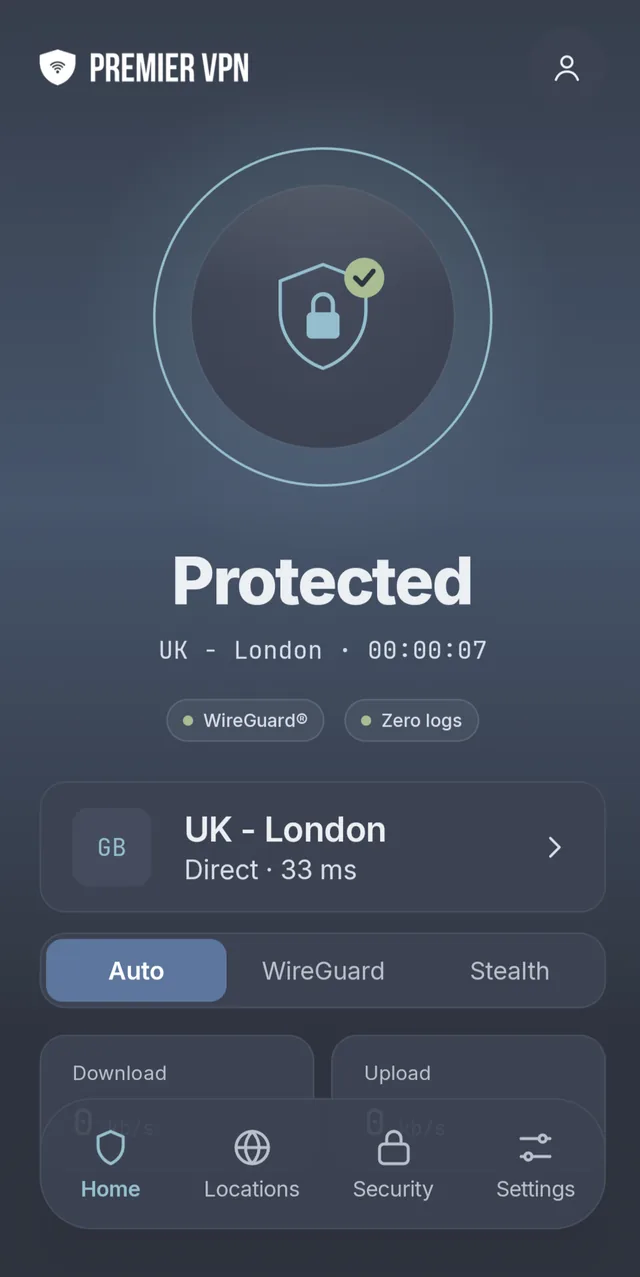
Two looks, one app
Pick a style when you first sign in and switch whenever you like; it changes straight away. Locations, protocols and settings stay exactly where they are.
Glass Calm
A big round button, your location underneath and a soft glow when you're protected. Tabs: Home, Locations, Security and Settings.
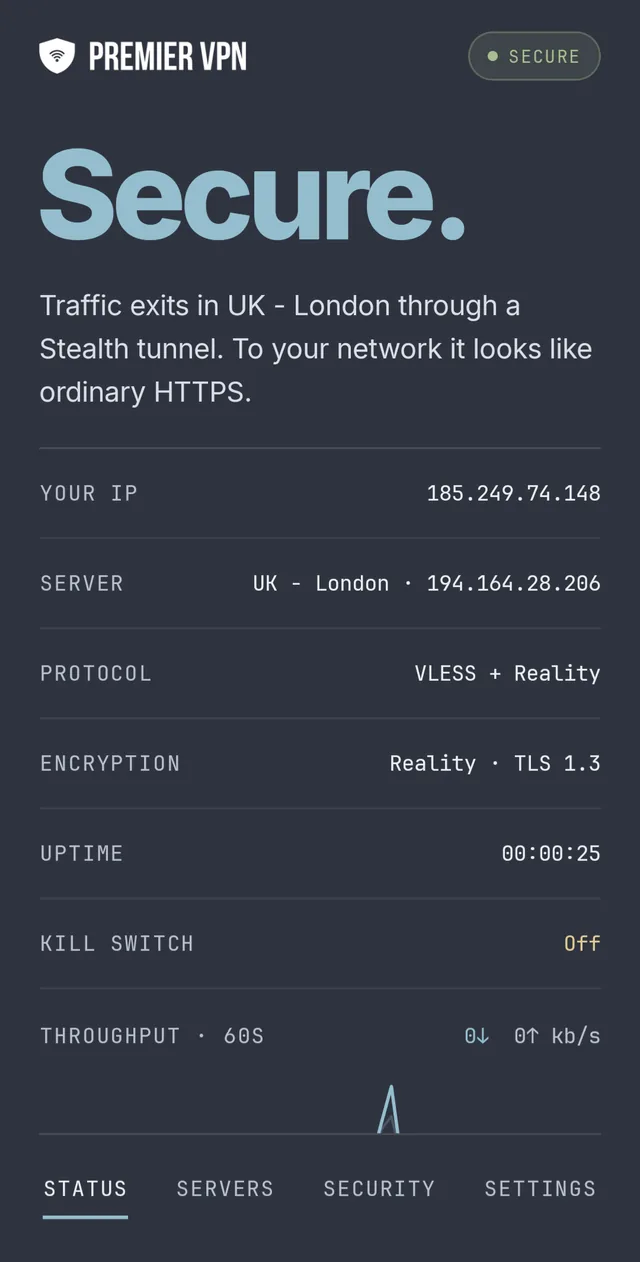
Signal Detailed
Your whole connection as a live readout: exit IP, server, protocol, encryption, uptime and throughput. Disconnecting takes a press and hold, so it never happens by accident.
- Protocol
- VLESS + Reality
- Encryption
- Reality · TLS 1.3
- Status
- Secure
Works on networks that block VPNs
Leave it on Auto and the app chooses for you. Or pick a protocol on Home, under your location, or in Settings › Protocol.
Auto
Uses WireGuard, and switches to Stealth by itself if your network blocks WireGuard. Home shows a short message when that happens.
WireGuard®
Modern ChaCha20 encryption with very little overhead. The best choice for everyday use, and light on your battery.
Stealth
Makes your VPN look like ordinary website traffic, so it works where VPNs are blocked: some hotels, offices, schools and countries.
Try the next server automatically
If a server doesn't answer, the app tries another before it shows an error, so you spend less time picking servers by hand.
Four kinds of Stealth
In the VLESS tab, Stealth servers are grouped by how they disguise your connection. Reality is the fastest, so try it first; the others are there for networks that are harder to get through.
Stealth needs a 64-bit phone, which covers almost every phone sold in recent years. On older phones the VLESS tab is hidden and the app uses WireGuard.
- Reality
- Looks like a visit to a big HTTPS website.
- xHTTP
- Good where long connections keep getting cut off.
- CDN
- For the strictest networks. A little slower.
- Vision
- Another option when the others are blocked.
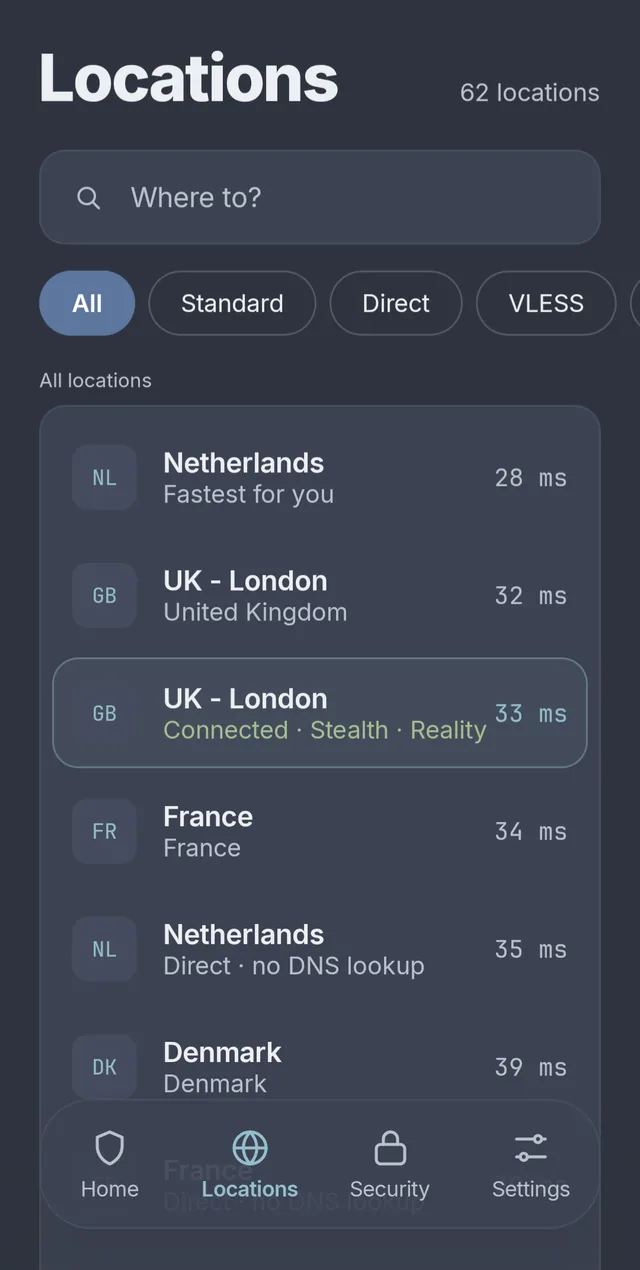
See which server is fastest before you connect
Every location shows its ping, measured from your phone, with the fastest first. Tap one to connect, or to switch over if you're already connected.
- All
- Standard
- Direct
- VLESS
- Favs
- Own IP
- Direct servers are reached by IP address, so your phone never needs a DNS lookup. Useful when a network blocks or interferes with DNS.
- Press and hold any location to add it to your favourites or copy its hostname.
- Own IP holds your dedicated IP, if you have one: an address only you use.
- Search by city, country or server name.
Check you're protected, on your phone
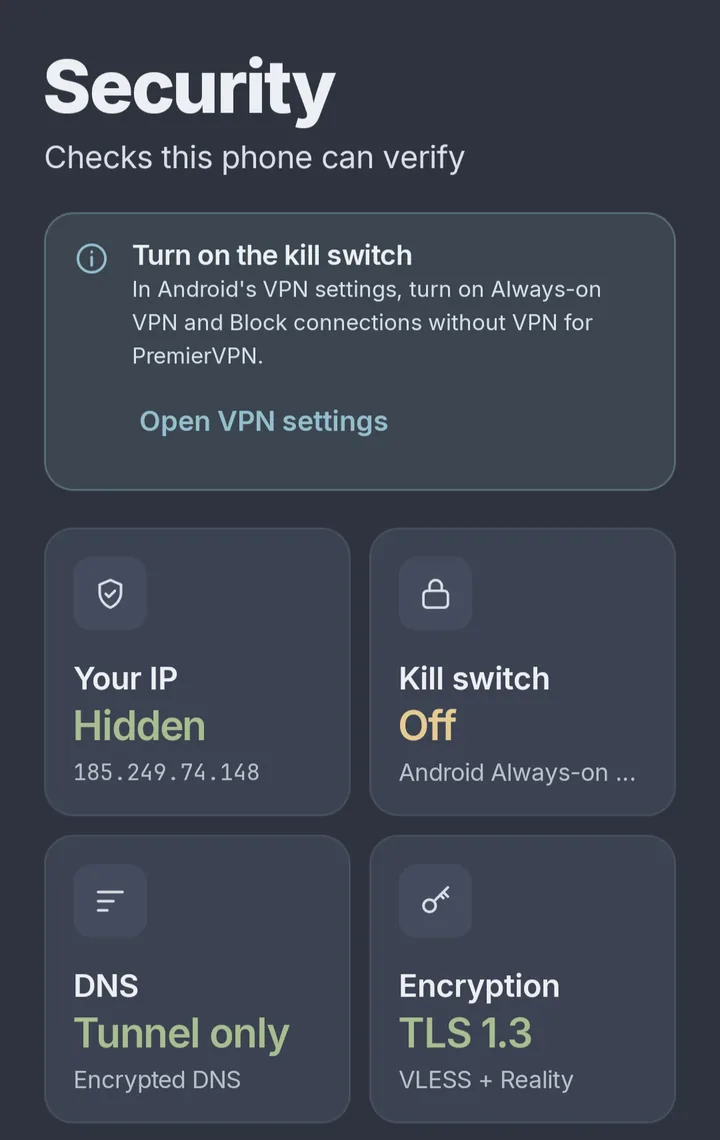
The Security tab shows what your phone can verify for itself, so you don't have to take our word for it.
- Your IP: hidden when you're connected, with the address websites now see.
- DNS: whether your lookups go through the tunnel.
- Kill switch: whether Android is set to block traffic when the VPN is off, with a shortcut to turn it on.
- Leak test checks your IP address, IPv6 and DNS all stay inside the tunnel. It runs by itself when you connect.
- Speed test measures download and upload through the tunnel, so you can compare locations.
Set it once, then forget it
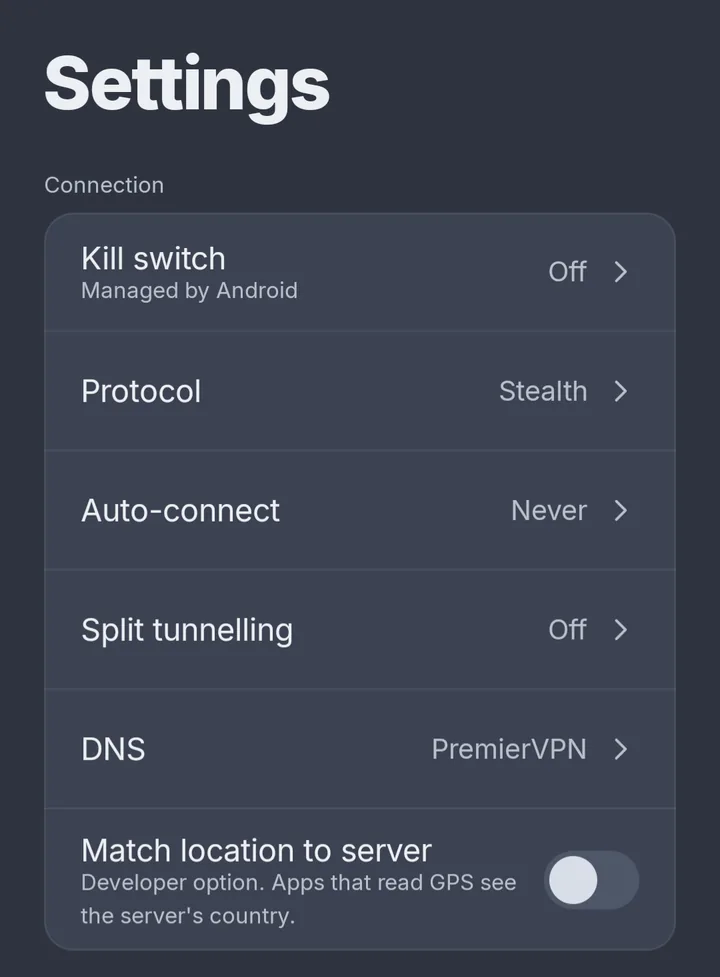
- Auto-connect on any Wi-Fi you don't trust, or always, including when your phone starts. Mark your home Wi-Fi as trusted in one tap.
- Kill switch through Android's own Always-on VPN, so nothing leaks if the connection drops.
- Split tunnelling: let banking or streaming apps skip the VPN, or send only the apps you choose through it. Printers, casting and network drives can keep working.
- Ad and tracker blocker for every app, DNS leak protection on by default, or your own custom DNS.
Connect without opening the app
Quick Settings tile
Add the PremierVPN tile to the panel you swipe down from the top of the screen, and tap it to connect or disconnect.
Status widget
Shows whether you're protected on your home screen, and disconnects with one tap.
Favourites widget
The larger widget adds your two favourite locations. Tap one to connect there.
App shortcuts
Press and hold the app icon for Connect, Disconnect and your first two favourite locations.
Get the app
Download the app from us today. Google Play is coming within a week, and because it's the same app, Google Play will keep the version you install now up to date.
Direct download
Download the app on your phone, open the file and tap Install. The first time, Android asks you to allow installs from your browser: allow it, then go back.
premiervpn-android-2.2.0.apk · 25.6 MB · Android 8.0+ Download the appGoogle Play
PremierVPN is on its way back to Google Play. Install the download now: it's the same app, so when the listing goes live Google Play takes over the updates. Nothing to reinstall.
Android TV and Google TV
The same app runs on Android TV, built for the remote: select the round button and press OK, or press Play/Pause from anywhere to connect.
Android TV setup →What you need
- Android 8.0 or later
- Phones and tablets
- Android TV and Google TV
- A 64-bit phone for Stealth
- A PremierVPN account with an active plan
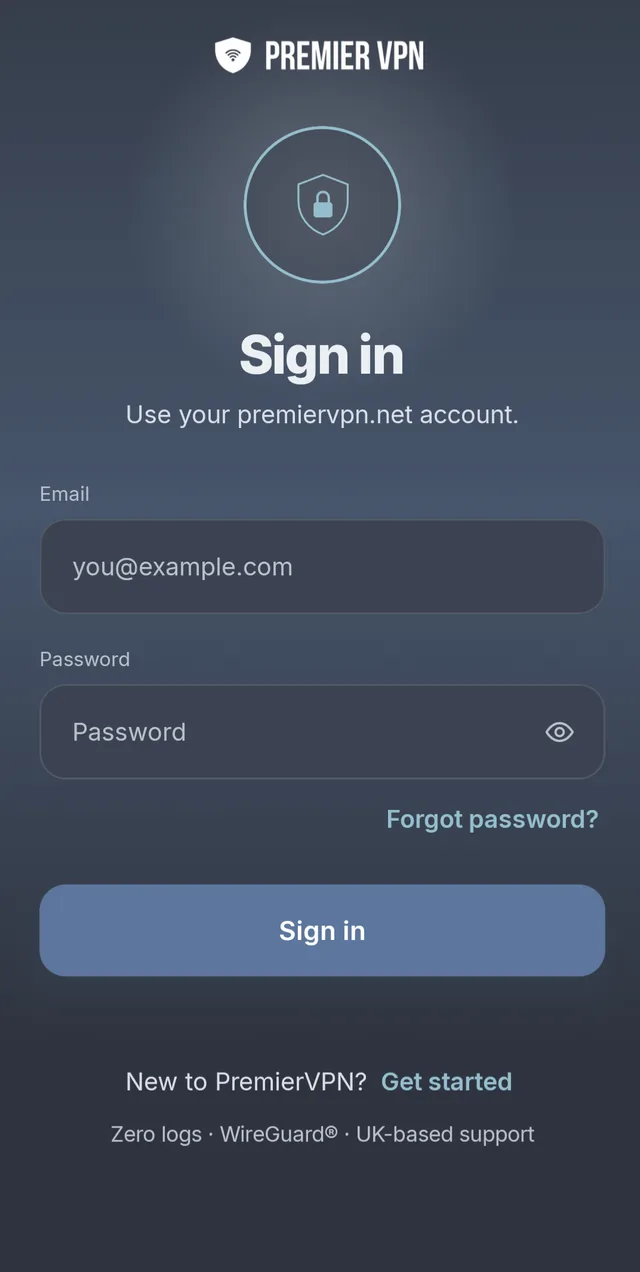
One account works on all your devices. Choose a plan on premiervpn.net, then sign in to the app with the same email and password.
Protected in one tap
Install the app, sign in with your PremierVPN account and tap the button. UK-based support, 24/7.
Google Play version coming within a week · Read the setup guide