
PremierVPN for Ubuntu & Debian
A native desktop app with five protocols: WireGuard®, Stealth, IKEv2, AmneziaWG and VLESS. A kill switch that works with every one of them, split tunnelling, and a Security Dashboard that checks for leaks. In the calm Glass style or the detailed Signal style.
- Five protocols
- Kill switch
- Split tunnelling
- Zero logs
Ubuntu 22.04 or later · Linux Mint, Pop!_OS and Zorin OS · Debian 12 or later · Intel, AMD and ARM · All downloads · Setup guide
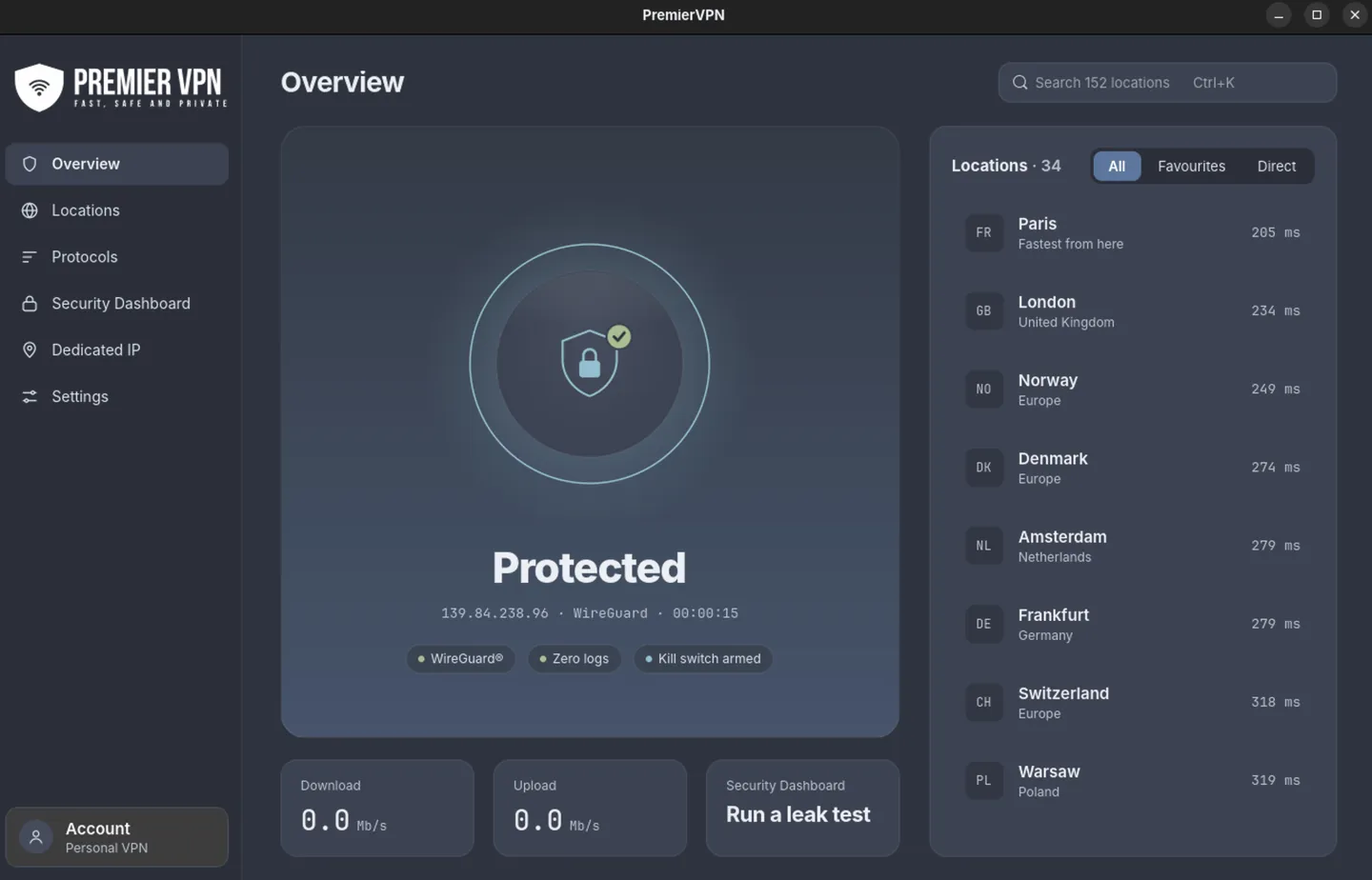
Two looks, one app
Pick a style when you first sign in and switch whenever you like; the window redraws straight away. Both show the same information and do the same things.
Glass Calm
Soft, rounded cards, a large round Connect button and a sidebar with your favourites. One click to connect.
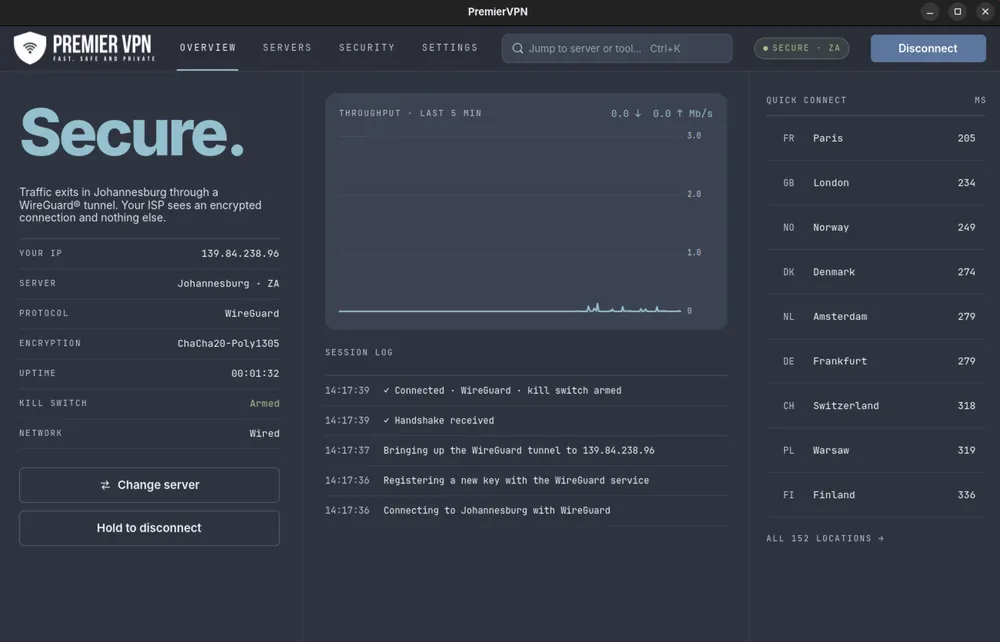
Signal Every detail, live
Tabs across the top, a live readout of your IP, server, protocol and encryption, a five-minute throughput chart and the session log. Disconnecting is a press and hold, so it never happens by accident.
Connects where WireGuard can't
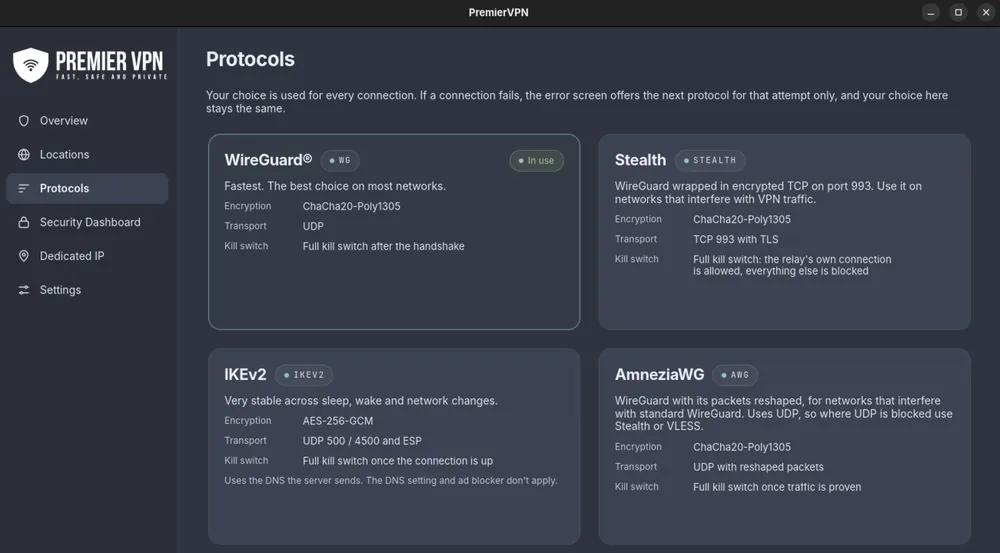
WireGuard is the fastest and works almost everywhere. If a network gets in the way, the error screen offers the next protocol most likely to work, for that connection only:
- AmneziaWG reshapes WireGuard's packets for networks that interfere with it.
- Stealth carries WireGuard over encrypted TCP on port 993.
- VLESS looks like ordinary HTTPS traffic, for the most restrictive networks.
Plus IKEv2, very stable across sleep, wake and network changes.
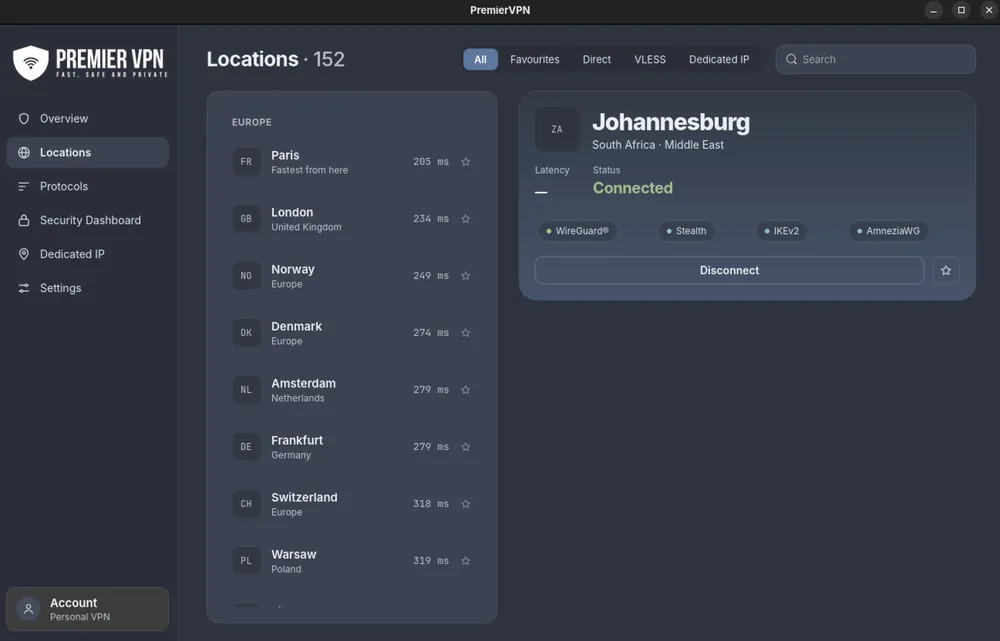
See which server is fastest before you connect
Ping is measured from your computer when the app opens and every ten minutes after that, with the fastest first.
- Double-click to connect, or click once to see its details and the protocols it supports.
- Star a location to keep it in the sidebar for one-click connecting.
- Direct servers are reached by IP address, for networks where looking up a hostname is slow or filtered.
- Dedicated IP: an address only you use, so sites that block shared VPN addresses treat you like any other visitor.
- Press Ctrl+K from anywhere to jump to a city or country.
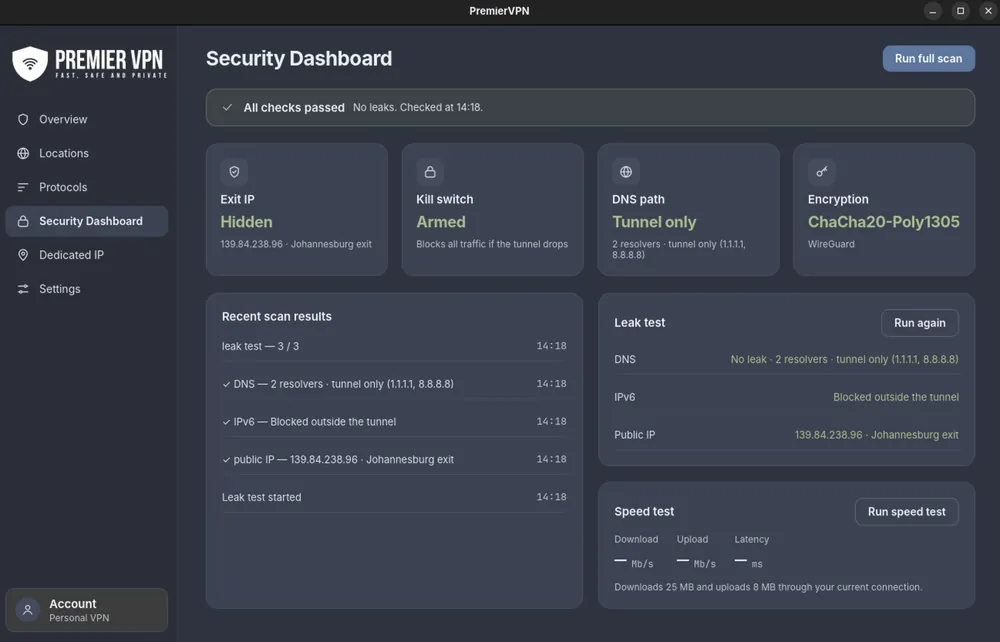
Check you're protected, yourself
Four checks at a glance, and a full scan through the live connection.
- Exit IP hidden: websites see the VPN's address, not yours.
- Kill switch armed: all traffic stops if the tunnel drops.
- DNS path tunnel only: look-ups go through the VPN, not your internet provider.
- Leak test checks your public IP, IPv6 and DNS. Speed test measures download, upload and latency.
Set it once, then forget it
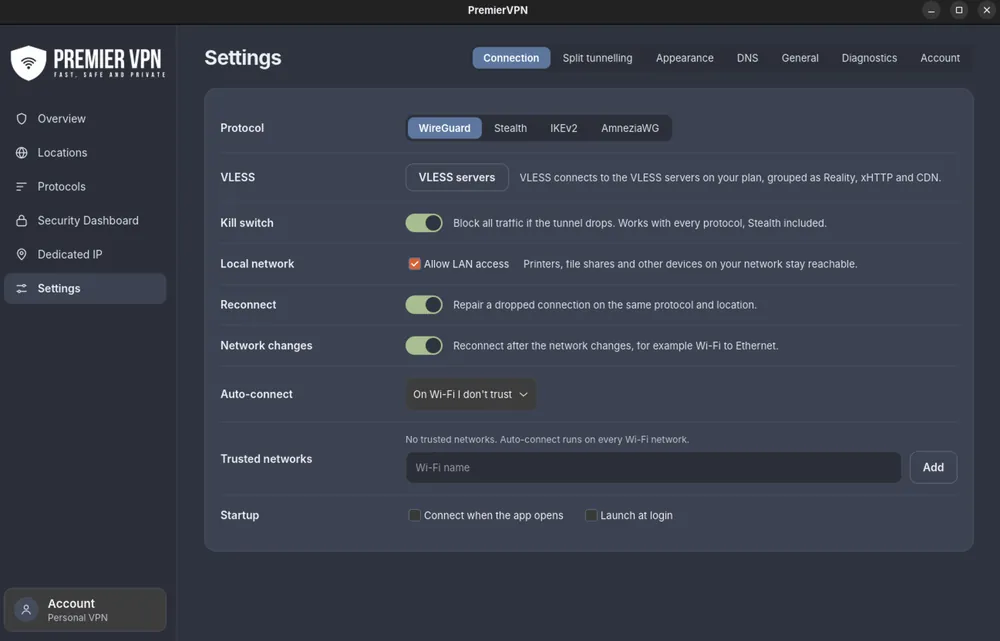
- Kill switch, on by default, with every protocol, Stealth included.
- Split tunnelling: let a banking app or a game skip the VPN, or send only your browser through it. Flatpak and Snap apps are listed too.
- Auto-connect on any Wi-Fi you don't trust, with your own trusted networks.
- Allow LAN access keeps printers and file shares reachable while you're connected.
- Ad and tracker blocking, and a choice of DNS servers.
- Launch at login and start quietly in the tray.
Fits in, stays out of the way
Tray icon and quick panel
See the connection at a glance and connect, switch location or open a small quick panel without opening the window. Works on GNOME, KDE Plasma, Cinnamon, XFCE and MATE.
Keyboard first
Ctrl+K to search, Ctrl+Shift+Enter to connect or disconnect, Ctrl+1 to 6 for each page.
Your sign-in stays private
Kept in the system keyring (GNOME Keyring, KDE Wallet or KeePassXC), never in a plain file. No password needed to connect from your desktop.
Keeps going in the background
Closing the window leaves the VPN on. It repairs a dropped tunnel, follows you from Wi-Fi to Ethernet and checks itself after sleep.
One package, one command
The package brings in everything it needs and starts a small background service, premiervpn-helper, that sets up the tunnel.
Upgrade from 1.x in place
Install 2.0 over the top. You stay signed in, with your settings and favourites.
Pick your package
Not sure which? Open a Terminal and run dpkg --print-architecture. Then install it from the folder you downloaded to with the command shown.
Ubuntu and Debian · Intel or AMD
.debFor computers where dpkg --print-architecture prints amd64.
sudo apt install ./premiervpn_2.0.2_amd64.deb
Ubuntu and Debian · ARM
.debFor computers where dpkg --print-architecture prints arm64. Includes Raspberry Pi 5, ARM laptops and Linux VMs on Apple Silicon.
sudo apt install ./premiervpn_2.0.2_arm64.deb
Using Fedora? Get the .rpm instead → · Checksums and step-by-step help are in the setup guide.
What you need
- Ubuntu 22.04 or later
- Linux Mint, Pop!_OS and Zorin OS
- Debian 12 or later
- 64-bit Intel, AMD or ARM
- A PremierVPN account with an active plan
Choose a plan on premiervpn.net, or create an account in the app and pick a plan on the website. Then sign in with the same email and password on all your devices.
Protected in one click
Install the package, sign in with your PremierVPN account and press the button. Human support, 24/7.