
Your files. Your keys.
Vault encrypts every file, and its name, on your device before it leaves. We store data we can't read. Without your passphrase, nobody can open it, including us.
- Encrypted on your device
- AES-256-GCM
- File names encrypted too
- Automatic Mac backups
Encryption even we can't undo
Your passphrase never leaves your device, so the key to your files never reaches us.
Set a passphrase
Your encryption key is made from it with PBKDF2 and 100,000 iterations, on your device.
Files encrypt locally
Each file and its name are encrypted with AES-256-GCM in your browser or the Mac app, before upload.
Stored encrypted, twice
The encrypted file is kept on storage with its own server-side encryption on top.
Decrypt on download
It comes back to your browser or Mac and decrypts there with your passphrase.
Back up your Mac, encrypted before it leaves
Vault for Mac lives in the menu bar and backs up the folders you choose, on your schedule. Files, names and folder paths are encrypted on your Mac first, then sent to your Vault and, if you like, to your own drives.
- Set it and forget it. Hourly, daily or weekly. A missed backup runs when your Mac wakes.
- Only changes upload. After the first backup, only new and changed files are sent.
- Versions and deleted files kept. 30 days by default, or 7 or 90. Deleted files can be kept for ever.
- Safety pause. If 40% of your files change at once, as ransomware would do, backups stop and ask first.
- Free backup drives. An encrypted copy on your own drives, on every plan, without using Vault storage.
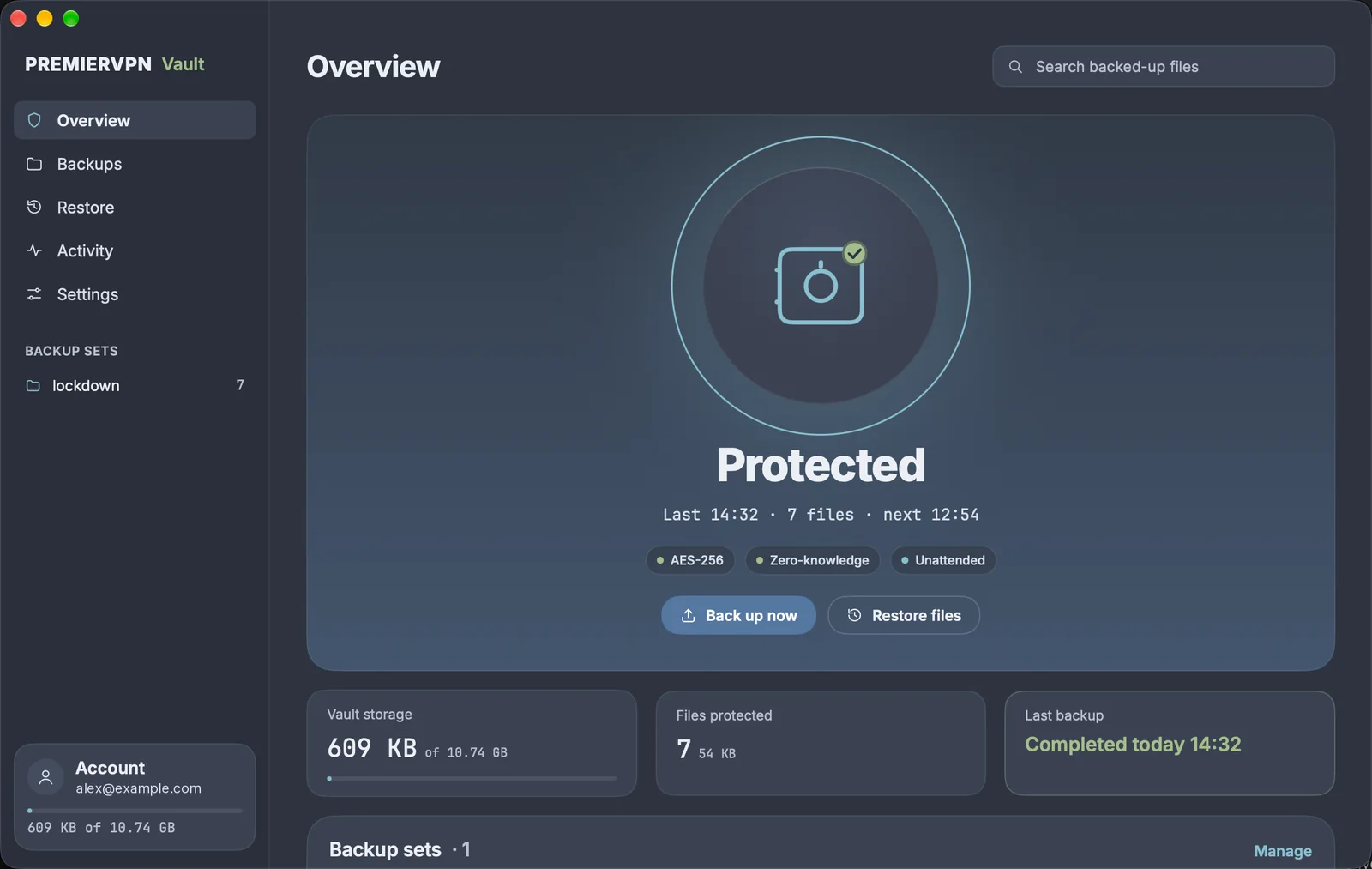
Overview. One look tells you if you're protected, when the last backup finished and when the next one runs.
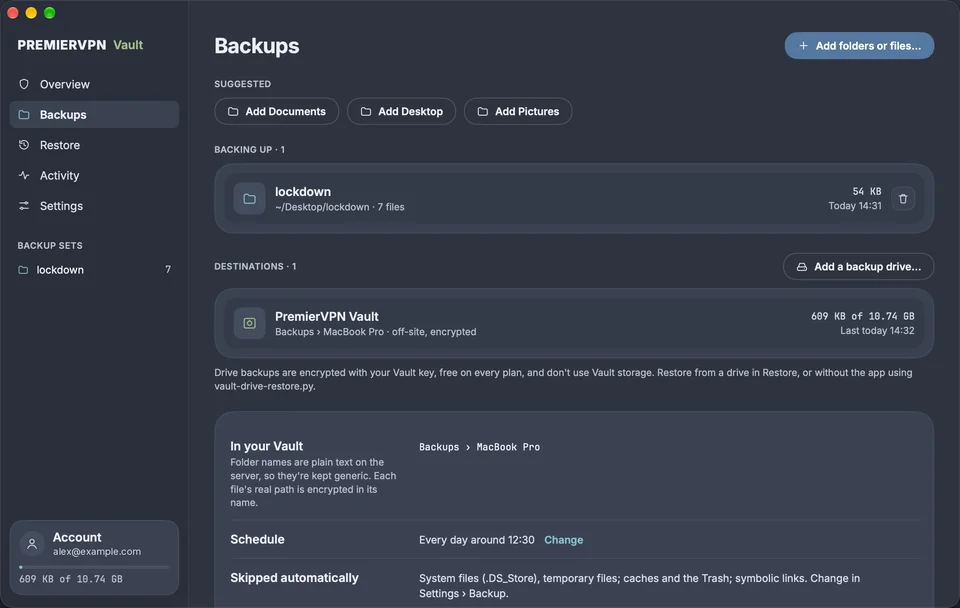
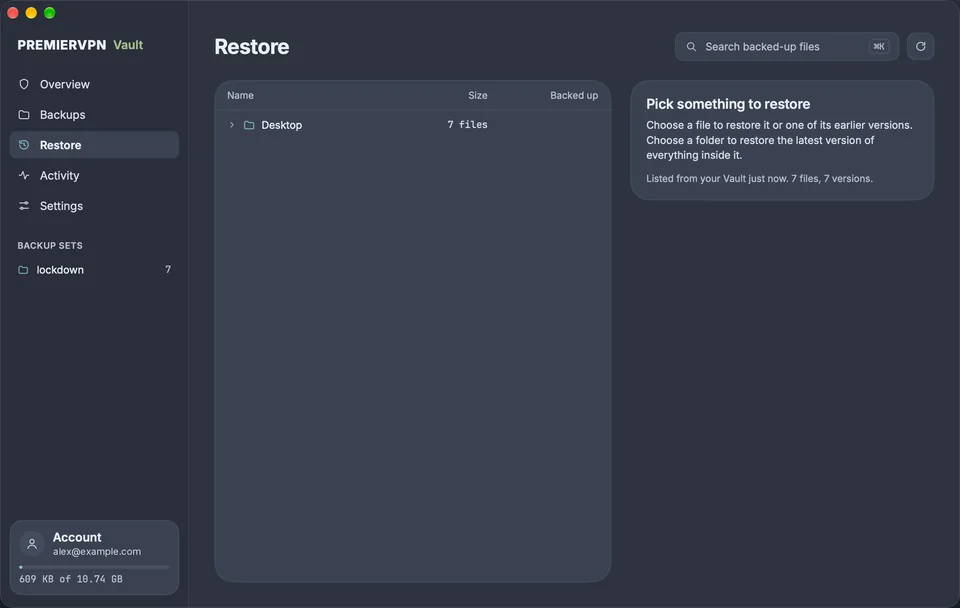
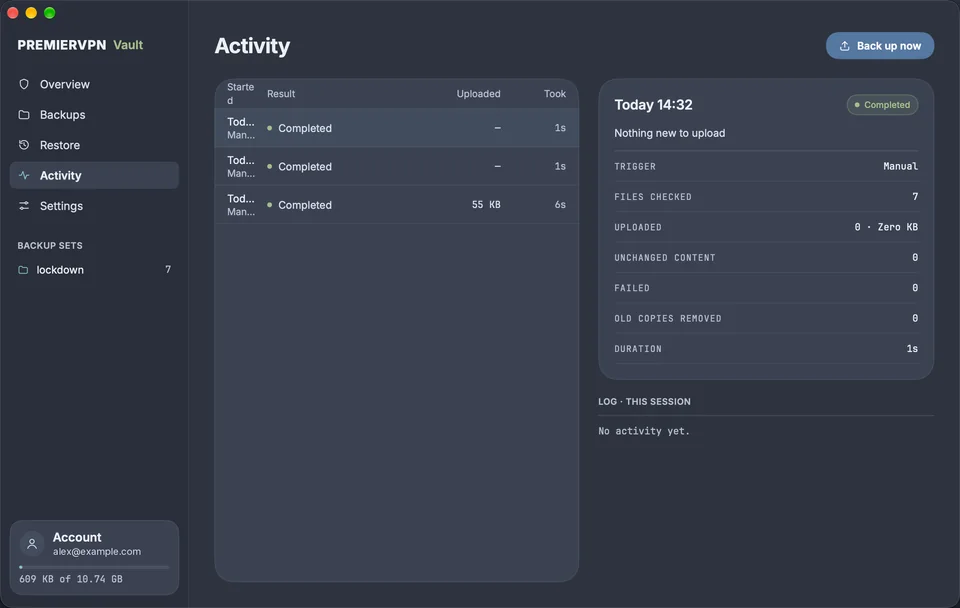
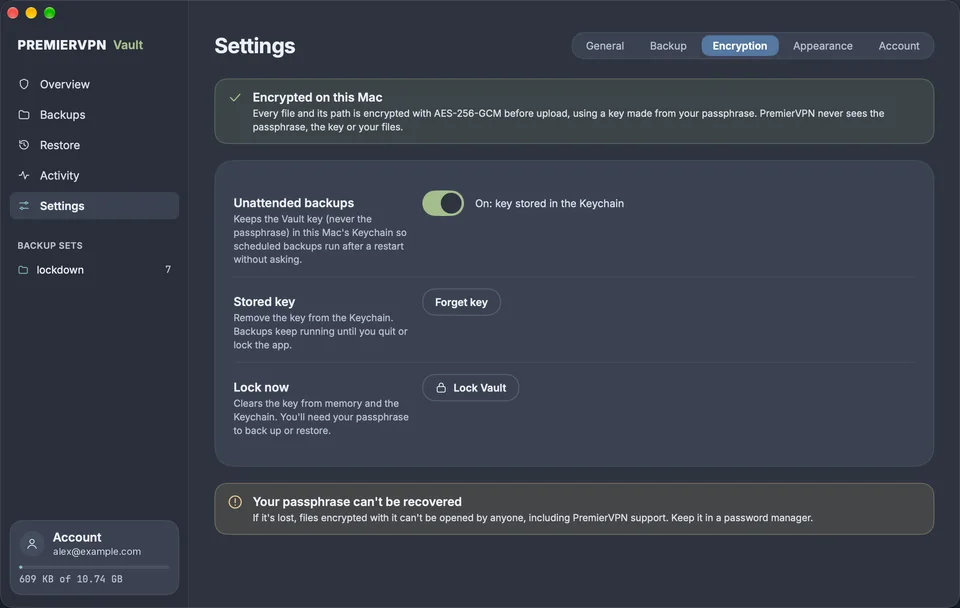
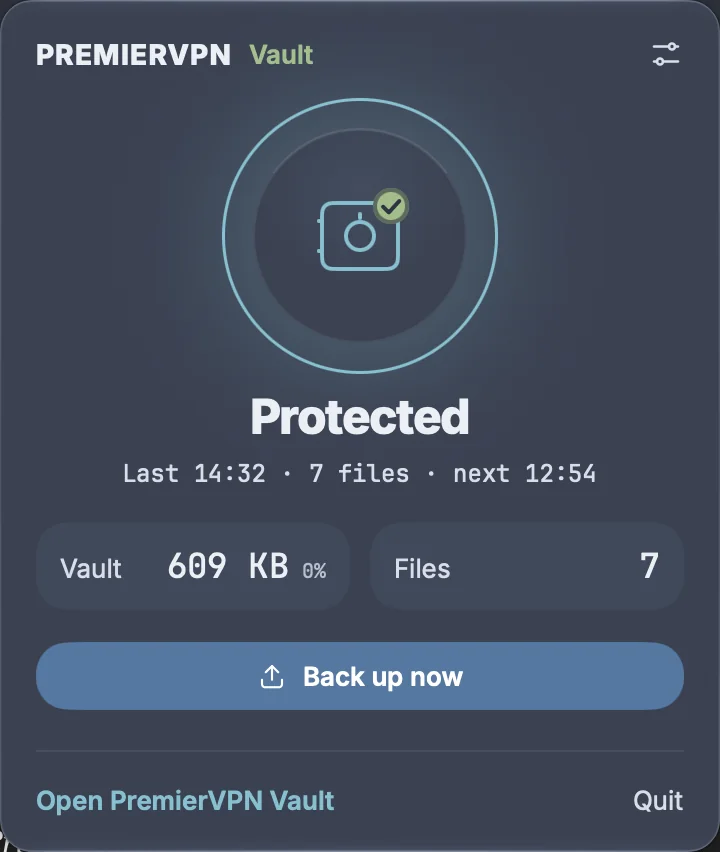
Always there, never in the way
Click the vault icon for a status panel and Back up now. Close the window and it carries on in the menu bar, which is what keeps scheduled backups running. Two looks, Glass and Signal, and shortcuts for everything: ⌘B backs up, ⌘K searches your backups.
Encrypted on your Mac before they go anywhere
A copy in your Vault protects against a lost or stolen Mac. A copy on a drive at home restores fast and works offline. Restore from either.
Your Mac
- The folders and files you choose
- Encrypted here, with your passphrase
- Restores come back here
Your Vault, online
- Encrypted files, names hidden
- Older versions and deleted files kept
- Also opens in the web Vault
Backup drives Free
- An encrypted copy on external drives or a network share
- Copies whenever one is plugged in
- Doesn't use Vault storage
Private by design, not by promise
Zero-knowledge
We hold only encrypted data. Without your passphrase it's meaningless, to us and to anyone who gets hold of it.
AES-256-GCM
256-bit keys and authenticated encryption, so any tampering with a file is detected.
Direct upload
Files go straight from your device to encrypted storage, never through our application servers.
Secure sharing
Password-protected links with download limits and expiry times. Recipients don't need an account.
Play, stream and cast
Choose to store a video unencrypted and it plays in the browser or casts with Chromecast or AirPlay. Encryption stays on unless you switch it off.
Folders and stars
Organise files into folders and star the ones you need often, in a file manager built into your dashboard.
If you go quiet, your vault acts for you
If you don't sign in for a period you choose, Vault either destroys every file or hands them to someone you trust. Built for journalists protecting sources, activists in hostile places, and anyone who needs a failsafe.
- From 7 days to a year of inactivity. Every sign-in resets it. Automatic Mac backups don't.
- Destroy or share. A trusted contact gets download links, and still needs your passphrase.
- A warning first. An email 7 days before, and one click on "I'm still here" resets it.
Protection for when things go wrong
Geo-destruction rules
Choose the countries your vault can be opened from. A sign-in from anywhere else locks or destroys your files automatically. The Mac app pauses rather than connect from a country set to destroy.
Timed file expiry
Give any file a destruction date. When it arrives, the file is permanently wiped from storage, not just hidden.
Encrypted file names
Names, and on the Mac whole folder paths, are encrypted on your device too. We don't just protect your files, we don't know what they're called.
What we can see, and what we never can
What we can see
- File sizes
- Upload and download times
- Your account and how much storage you use
- The generic folders the Mac app creates, such as Backups › MacBook Pro
What we can never see
- What's in your files
- What your files are called, or where they came from
- Your passphrase or encryption keys
- Your data, decrypted, at any point
The flip side: forget your passphrase and nobody can recover your files. That's what zero-knowledge means.
Start free, upgrade for space
Every plan includes the web Vault and the Mac backup app. Backup drives are free on all of them.
Vault Pro
For individuals
or $49.99/year · save 17%
- 50 GB encrypted storage
- Files up to 500 MB
- 25 share links
- Mac backup app, with free backup drives
- Zero-knowledge, AES-256-GCM
- Video playback, streaming and casting
Vault Business
For teams and professionals
or $129.99/year · save 17%
- 500 GB encrypted storage
- Files up to 2 GB
- 100 share links
- Mac backup app, with free backup drives
- Zero-knowledge, AES-256-GCM
- Video playback, streaming and casting
- Priority support
Prices in USD · Cancel any time · Paid plans from $4.99/month
Questions
What if I forget my passphrase?
Your files can't be recovered. We never store your passphrase or your keys, so nobody, including us, can decrypt your files without it. Keep it somewhere safe, such as a password manager.
Can PremierVPN staff see my files?
No. Files and their names are encrypted on your device before upload, in your browser or in the Mac app, so all we hold is encrypted data. We can see file sizes, upload and download times, and how much of your storage you've used.
What does the Mac app do?
PremierVPN Vault for Mac backs up the folders you choose on a schedule, from the menu bar. Only new and changed files upload, older versions and deleted files are kept for 30 days by default, and you can restore any of them. It can also keep an encrypted copy on your own external drives.
Do backup drives use my Vault storage?
No. Copies on your own drives are free on every plan and don't count towards your Vault storage. They're encrypted with your Vault passphrase, so a lost drive gives nothing away.
Do the Mac app and the web Vault use the same passphrase?
Yes. Files backed up from your Mac open in the web Vault, and files you upload on the web can be restored in the app.
What if ransomware or a sync problem changes lots of files?
If 40% or more of your backed-up files change or disappear at once, the Mac app pauses backups and asks you to check before anything is uploaded. Older versions stay in your Vault, so you can restore the copies from before the change.
How does sharing work?
Create a link with a password, a download limit and an expiry time. The recipient doesn't need an account. Encrypted files decrypt in their browser with the passphrase you share separately.
Can I play videos from my Vault?
Yes, if you choose. Encryption is on by default; for any video you can turn it off so it plays in the browser, streams from a share link and casts to a TV with Chromecast or AirPlay. You decide file by file.
What's included with my VPN plan?
1 GB comes with every PremierVPN plan, Premium VPN includes 10 GB, and Business VPN and the Complete bundle include Vault Pro. The Mac app works with all of them.
What happens when the dead man's switch triggers?
Whatever you chose: your files are permanently destroyed, or your trusted contact receives download links. They still need your passphrase to decrypt. You get an email warning 7 days before, and signing in resets the timer. Automatic backups from the Mac app don't count as signing in.
Store files the way they should be stored
If a service can read your files, so can anyone who breaks into it. With Vault, there's nothing readable to take.