
Torrents that only run through PremierVPN.
TorrentLock is a fast, native BitTorrent app for Mac. It won't send a single byte until PremierVPN is protecting you, it checks what other peers can actually see, and it stops everything the moment your real IP shows.
- Locked to PremierVPN
- Leak guard
- No open ports at home
- Version 2.0
Requires macOS 14 or later and a PremierVPN plan · Included with every plan · Get PremierVPN
- Peers see
- 203.0.113.77
- Exit address
- 203.0.113.77
- Router ports
- Off
A proper Mac app, built around one rule
Pick a screen below, or click the large picture to see it full size. Use the arrow keys to move through them.
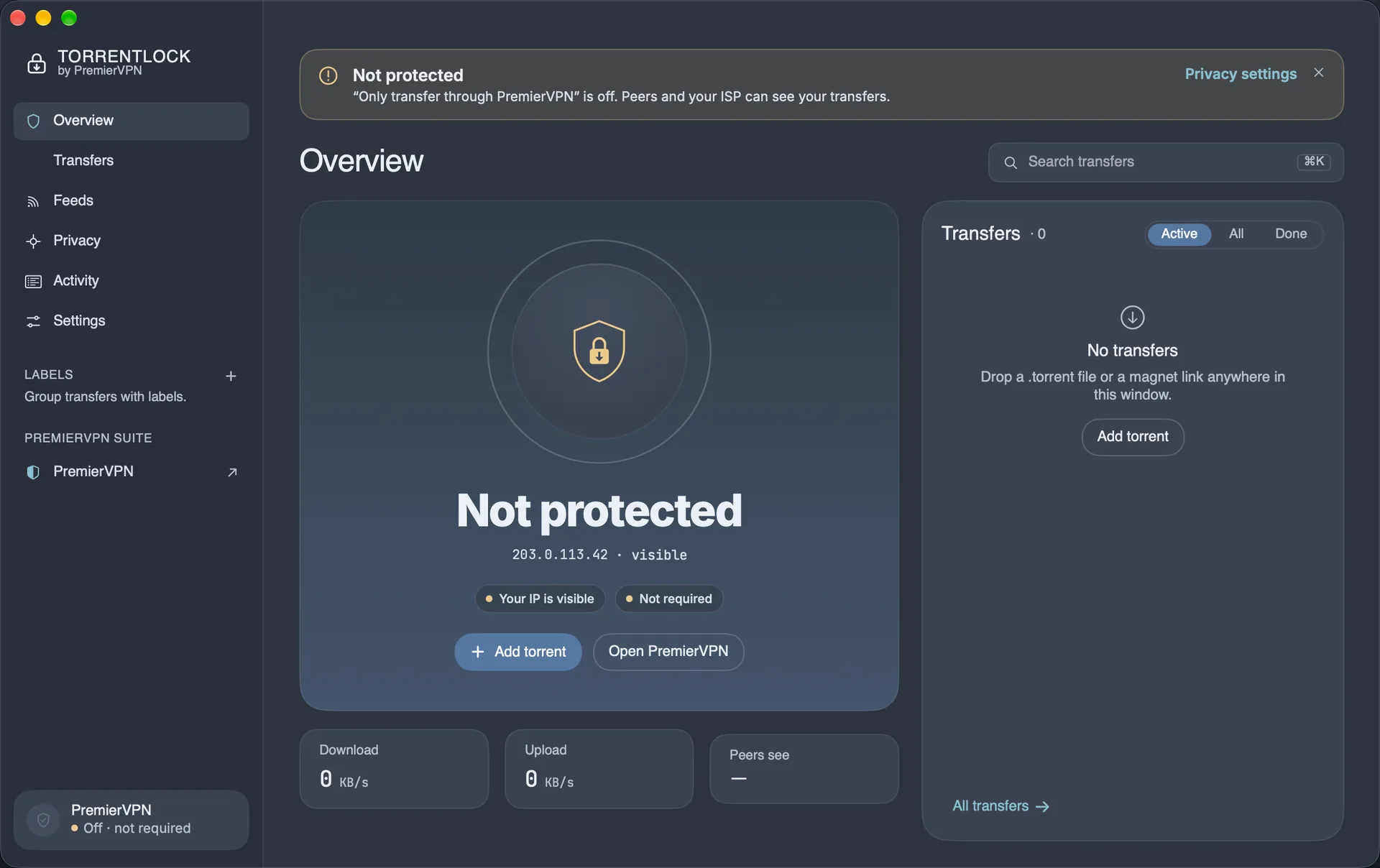
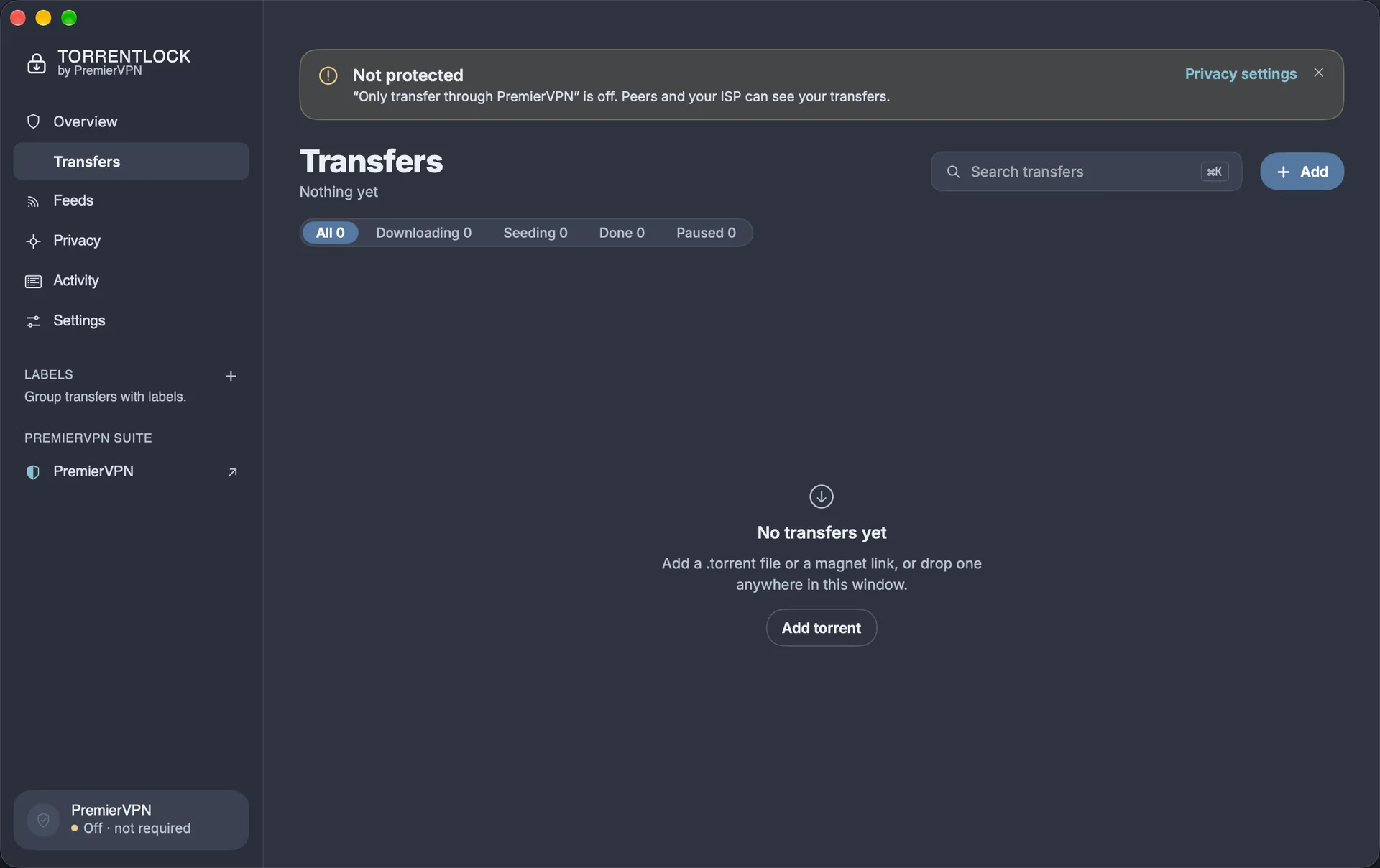
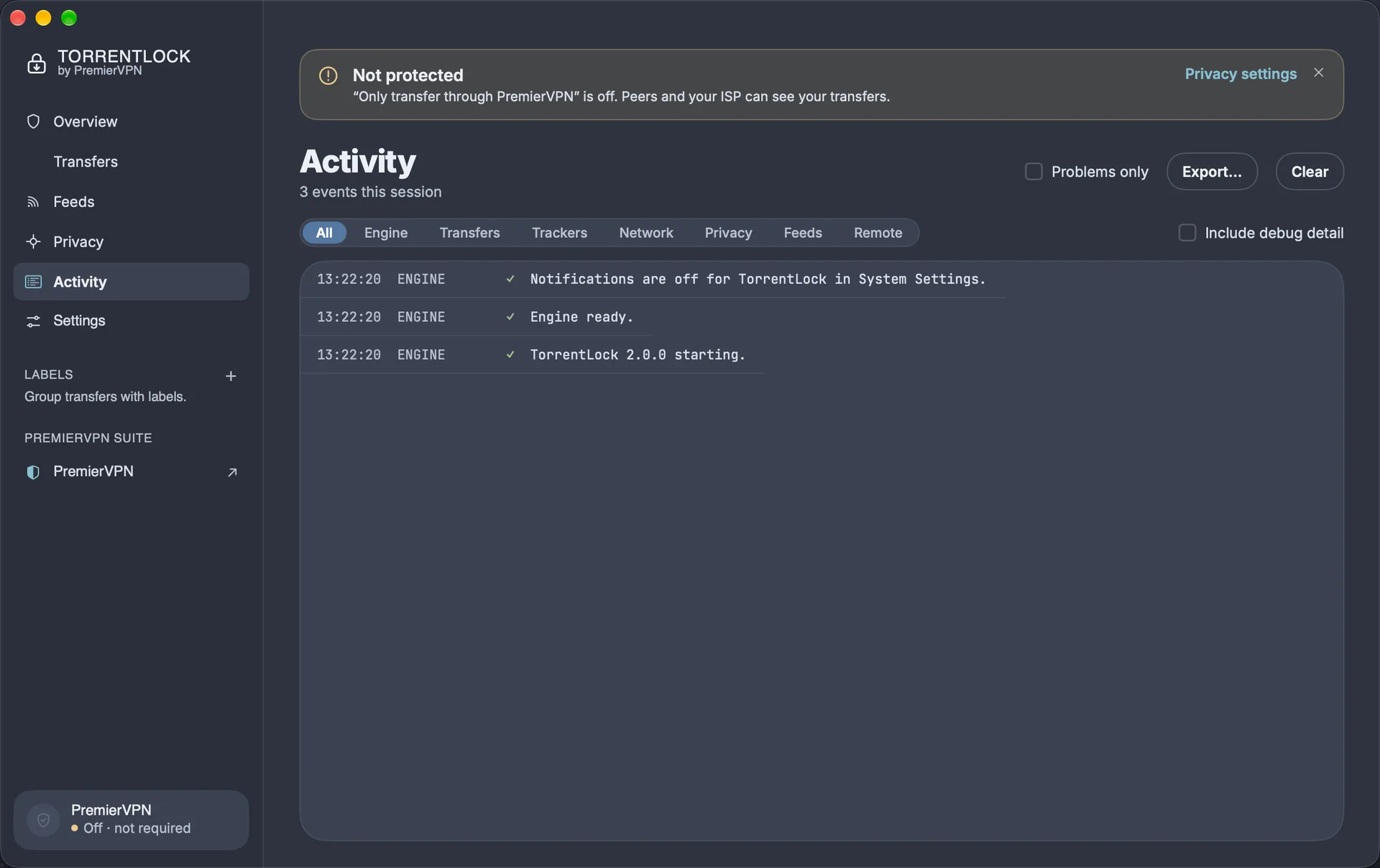
Everything a torrent app should do, without the risk
Locked to PremierVPN
Transfers only start when PremierVPN's tunnel is your active connection. Every connection is bound to that tunnel, so if the VPN drops, traffic has nowhere to go.
Proof, not promises
TorrentLock shows the address peers and trackers report seeing, next to your PremierVPN exit address and the server you're on.
Leak guard
If a peer ever reports your real IP, every transfer stops until you check again.
No open ports at home
Router port mapping (UPnP and NAT-PMP) is always off, so nothing is opened on your home router.
Stream while it downloads
Pick a video file, press Stream, and Play opens it in your player after the first few megabytes.
Feeds and rules
Follow RSS feeds and download new episodes automatically, without duplicates. Feeds are only fetched while you're protected.
Set it and forget it
Speed limits on a schedule, seeding limits, move finished downloads, a watch folder, sleep when done, and a disk-space guard.
Two looks
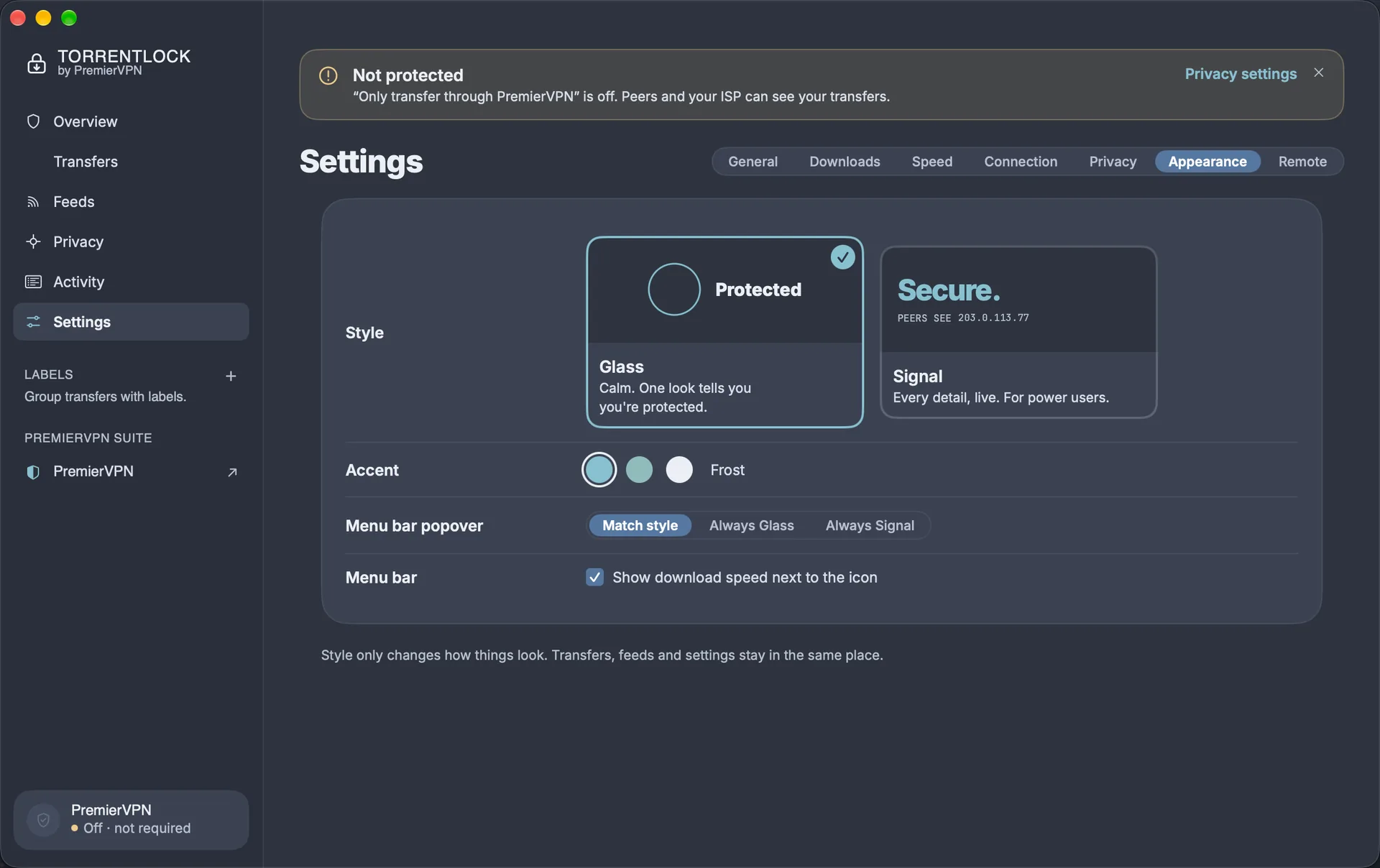
Glass is calm and simple; Signal shows every detail live. Switch any time.
Control it from anywhere
An optional web portal lets you manage TorrentLock from a browser on your network, protected by an access key.
Held until you're protected
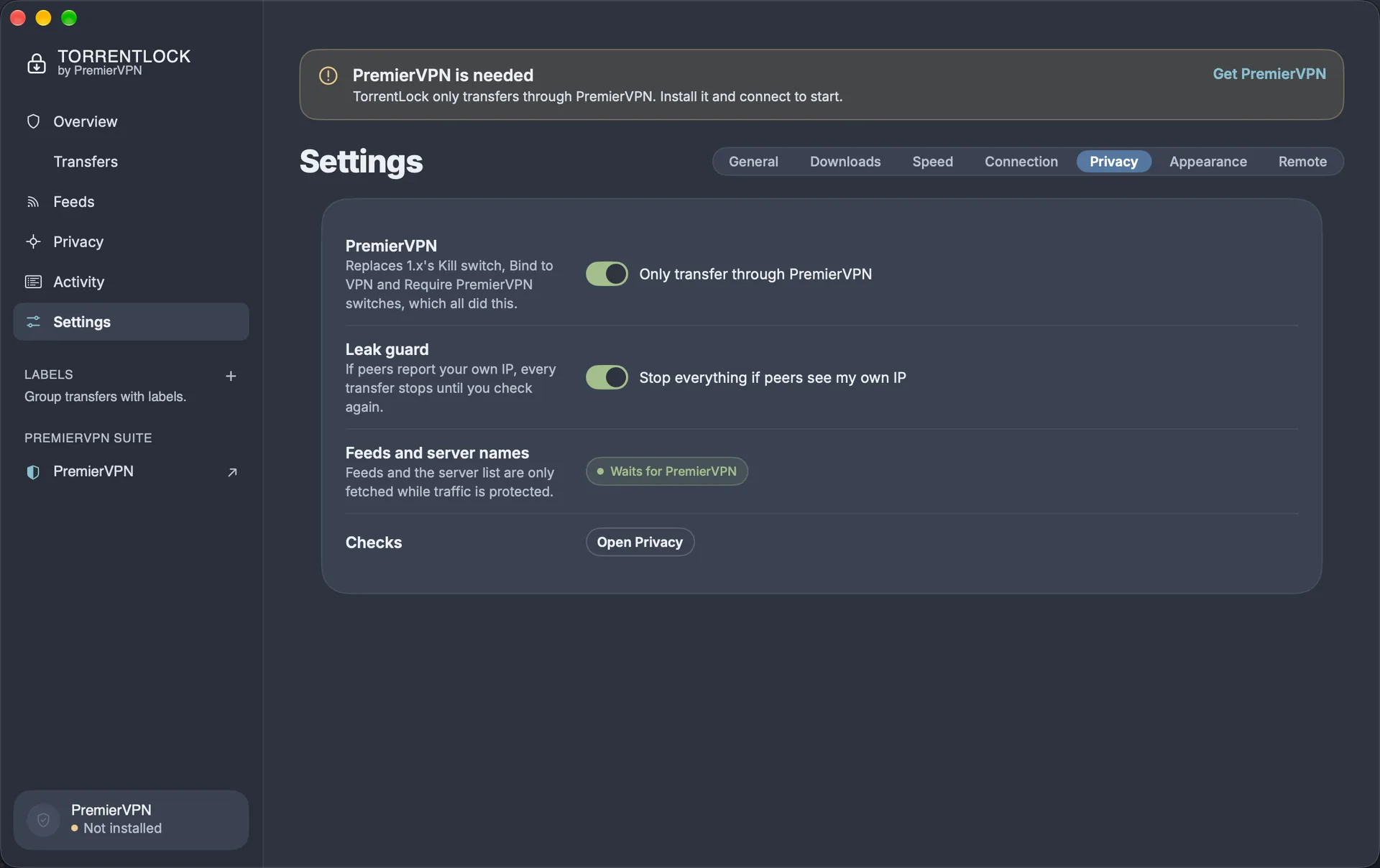
TorrentLock starts every session with transfers held and only lets them run once PremierVPN's tunnel is your Mac's active connection. You don't set anything up: both protections are on from the first launch.
- Only transfer through PremierVPN holds every transfer unless PremierVPN is protecting you.
- Leak guard stops everything if peers report your real IP.
- If you pause something yourself, it stays paused when PremierVPN reconnects. Everything else picks up where it left off, even after a restart.
| Status | What it means | What to do |
|---|---|---|
| ProtectedSignal: Secure. | PremierVPN is connected and TorrentLock is bound to its tunnel. Transfers run. | Nothing. |
| Checking route…Signal: Checking. | PremierVPN has just connected and TorrentLock is confirming the exit address. | Wait a few seconds. |
| Transfers heldSignal: Held. | PremierVPN isn't connected, or another VPN is in use. Nothing downloads or uploads, and no port is open. | Click Open PremierVPN and connect. Transfers start by themselves. If PremierVPN isn't installed, the button says Get PremierVPN. |
| Leak blockedSignal: Blocked. | A peer reported your real IP, so every transfer was stopped. | Check PremierVPN is connected, then click Check again. |
| Not protectedSignal: Exposed. | You turned off "Only transfer through PremierVPN". Peers can see your IP. | Turn the setting back on in Settings › Privacy. |
Why it can't leak when the VPN drops
Every connection is tied to PremierVPN's network interface, not just to "the internet". If the tunnel disappears, the connections have nowhere to go, even in the split second before TorrentLock notices and holds everything.
How it knows it's PremierVPN
macOS names the VPN as PremierVPN, or the PremierVPN app or its tunnel is running and carrying your traffic. The Privacy page lists which of these matched.
Other VPNs
TorrentLock is made for PremierVPN. It holds transfers whenever any other VPN is the active connection.
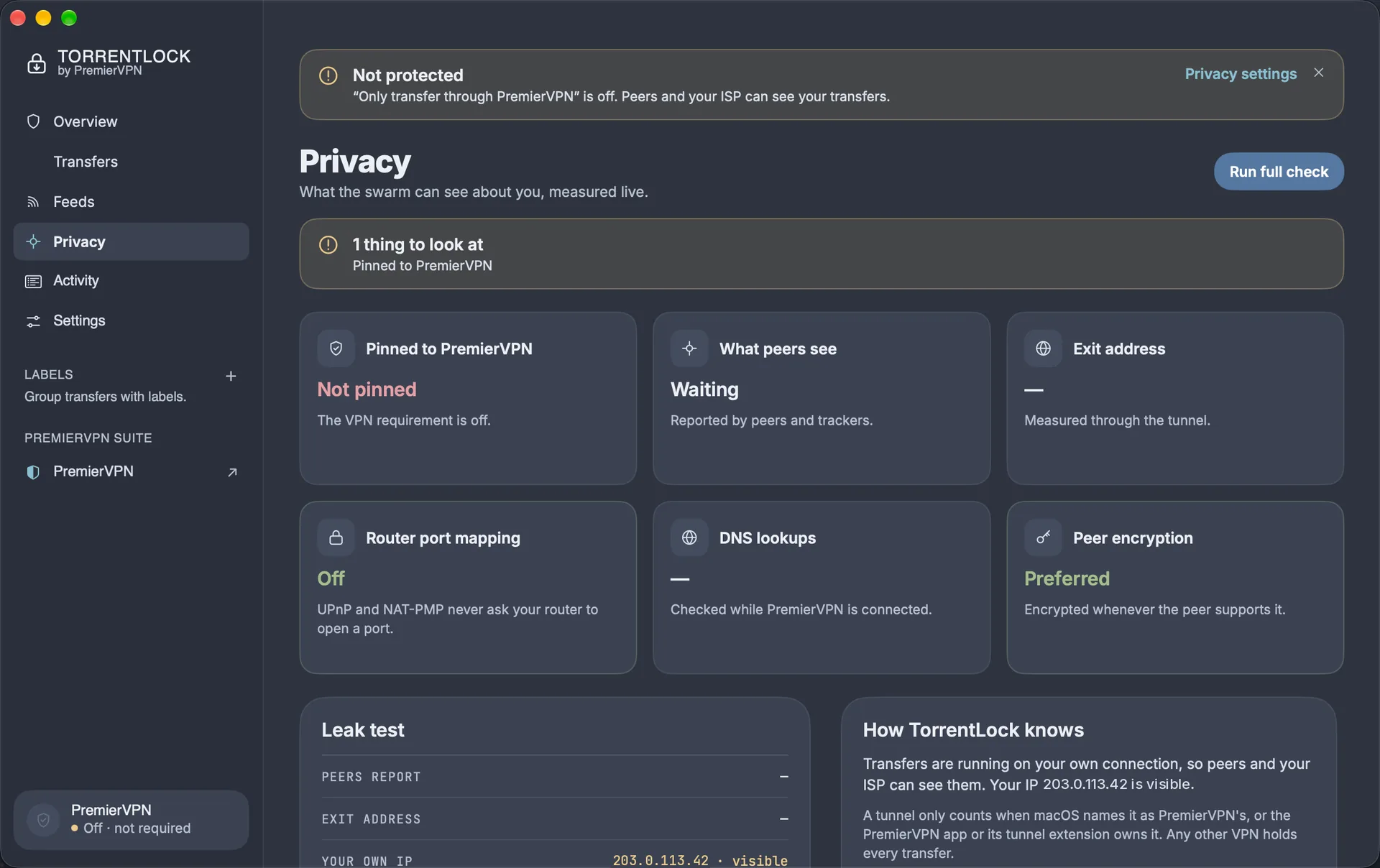
See what the swarm sees
The Privacy page shows what other peers can see about you, measured live rather than assumed.
- Pinned to PremierVPN: the tunnel and protocol TorrentLock is bound to, or Held when nothing can leave your Mac.
- What peers see: the IP peers and trackers report. It should match your exit address.
- Exit address: your PremierVPN exit IP and server name, measured through the tunnel.
- Router port mapping, DNS lookups and peer encryption, each checked and shown.
- Run full check learns your real IP once, so TorrentLock can recognise it if a peer ever reports it.
Two looks, same app
Glass is calm: one look tells you you're protected. Signal shows every detail live, for power users. Transfers, feeds and settings stay in the same place whichever you pick.
- A menu bar icon that shows your status at a glance, with live speeds, active transfers, Pause all and Add.
- Closing the window keeps TorrentLock running in the menu bar.
- Move between the six pages with ⌘1 to ⌘6, and search transfers with ⌘K.
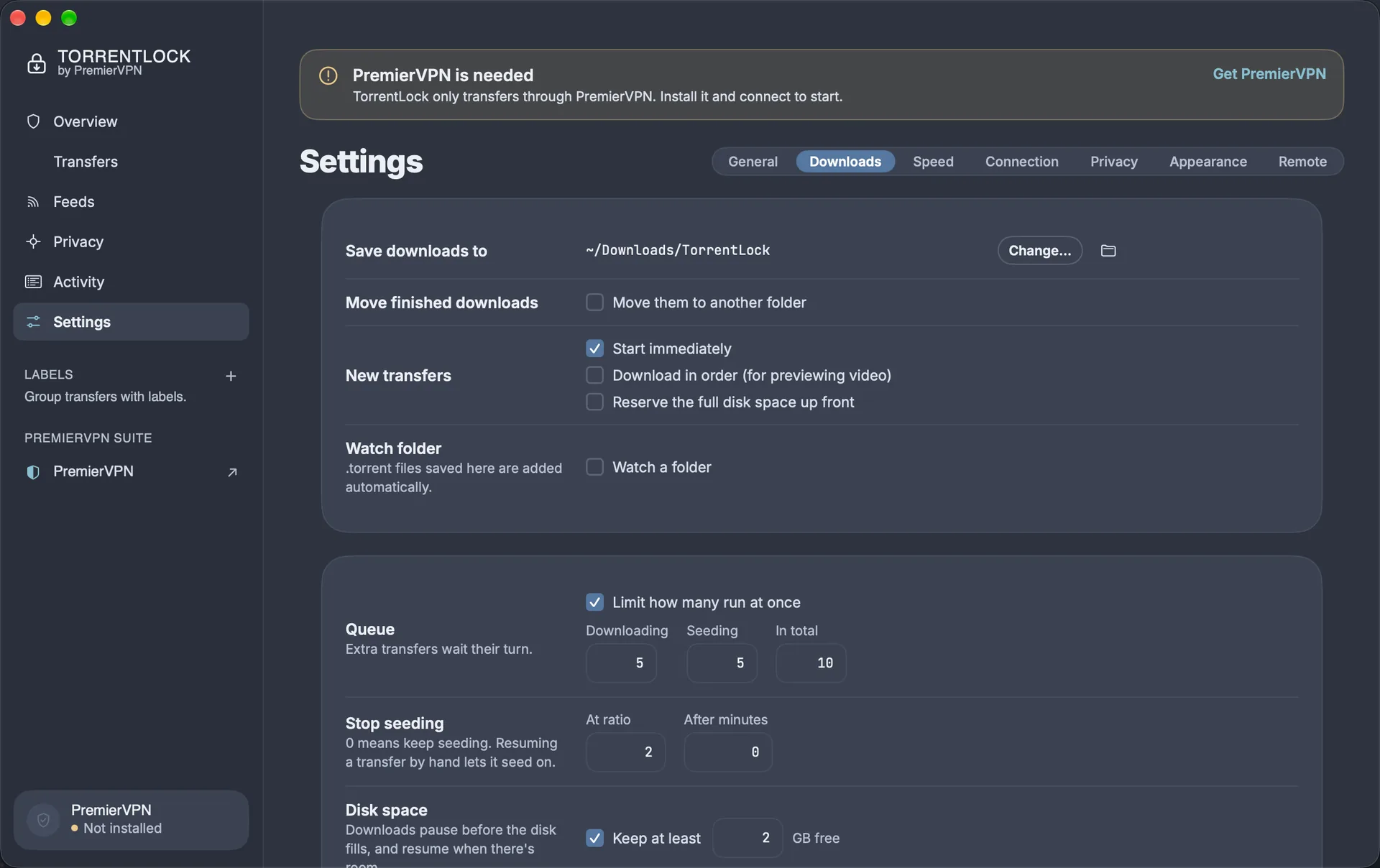
Downloads that look after themselves
- Choose where downloads go, and move finished ones to another folder.
- A watch folder adds any .torrent file saved to it.
- A queue, seeding limits by ratio or time, and a guard that pauses downloads before the disk fills.
- Speed limits on a schedule, and a sleep-when-done option.
- Feeds with rules download new episodes automatically, without duplicates.
- An Activity log you can export for support, and an optional web portal with an API for scripts.
Install PremierVPN, install TorrentLock, connect
- Install PremierVPN for MacSign in, if you haven't already. Get the Mac app
- Download TorrentLockGet it from the Downloads page in your account, then open the DMG.
- Drag it into ApplicationsDrag TorrentLock into the Applications folder.
- Open TorrentLockIt's signed and notarised by Apple, so it opens without warnings.
- Allow notificationsIf you'd like to know when downloads finish.
- Connect PremierVPNThe status changes from Held to Protected, and transfers can start.
Moving from 1.x? Your settings and RSS feeds come across automatically the first time 2.0 opens.
Questions
Does TorrentLock work without PremierVPN?
Does it work with other VPNs?
What does it cost?
Which Macs does it run on?
Will my 1.x transfers carry over?
Nothing is downloading and it says Transfers held
Torrent with proof that you're protected
- macOS 14 Sonoma or later
- Apple silicon or Intel
- An active PremierVPN plan
Need help? Support and help centre · Setup guide
Use TorrentLock only for content you have the right to download and share.