
See every connection your Mac makes. Stop the ones you don't want.
PremierVPN Firewall shows every app's connections, in and out, and lets you allow, block or be asked about each one. It works on its own, and it recognises PremierVPN automatically, so it never blocks your VPN.
Free No account needed. Pro comes with any PremierVPN plan.
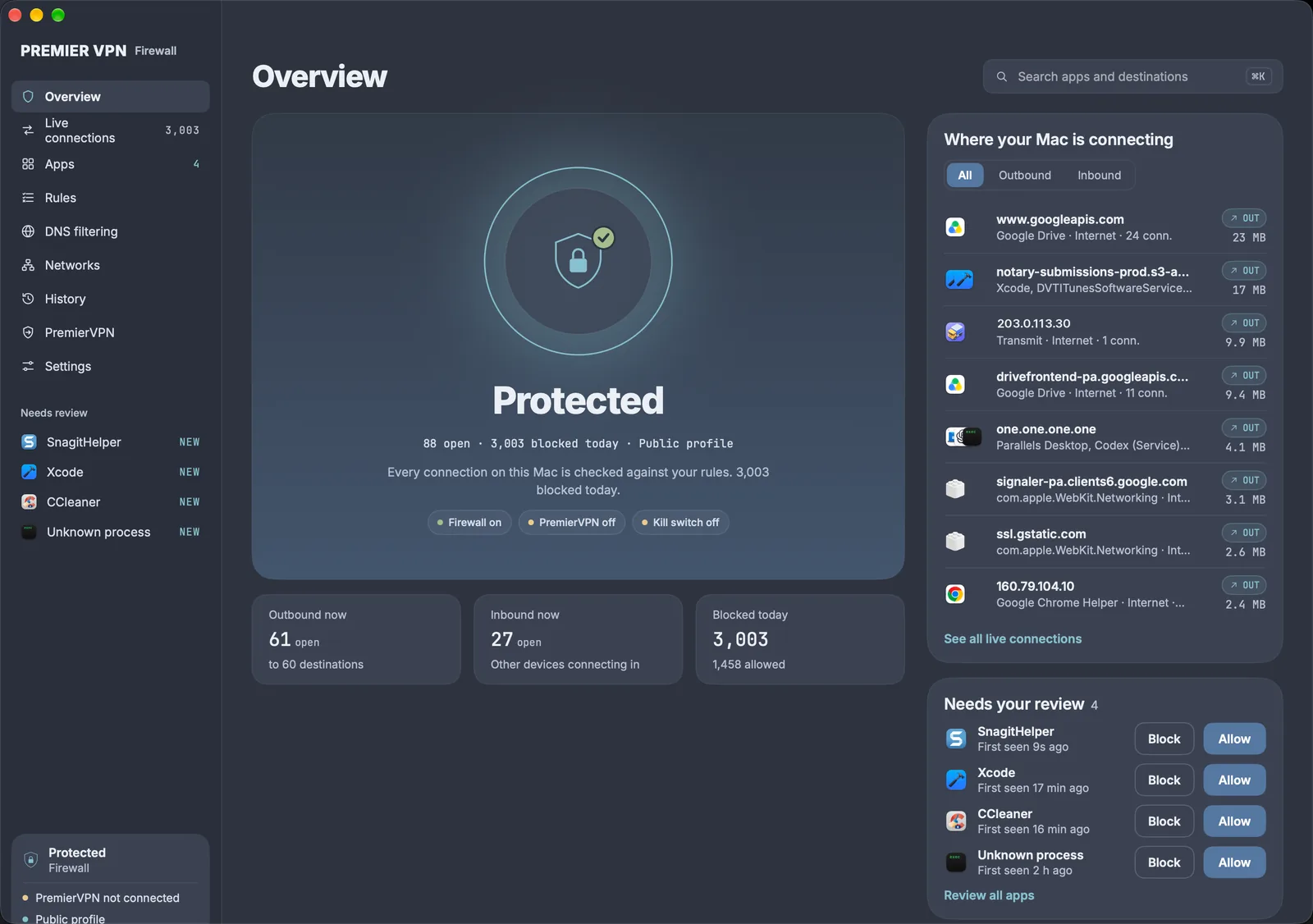
- Free, with no account
- Never blocks PremierVPN
- History stays on your Mac
- Pro included with every plan
Know what's talking, and decide what may
Most apps connect to far more than you'd guess. The firewall shows all of it, explains every decision, and puts you in charge of the rest.
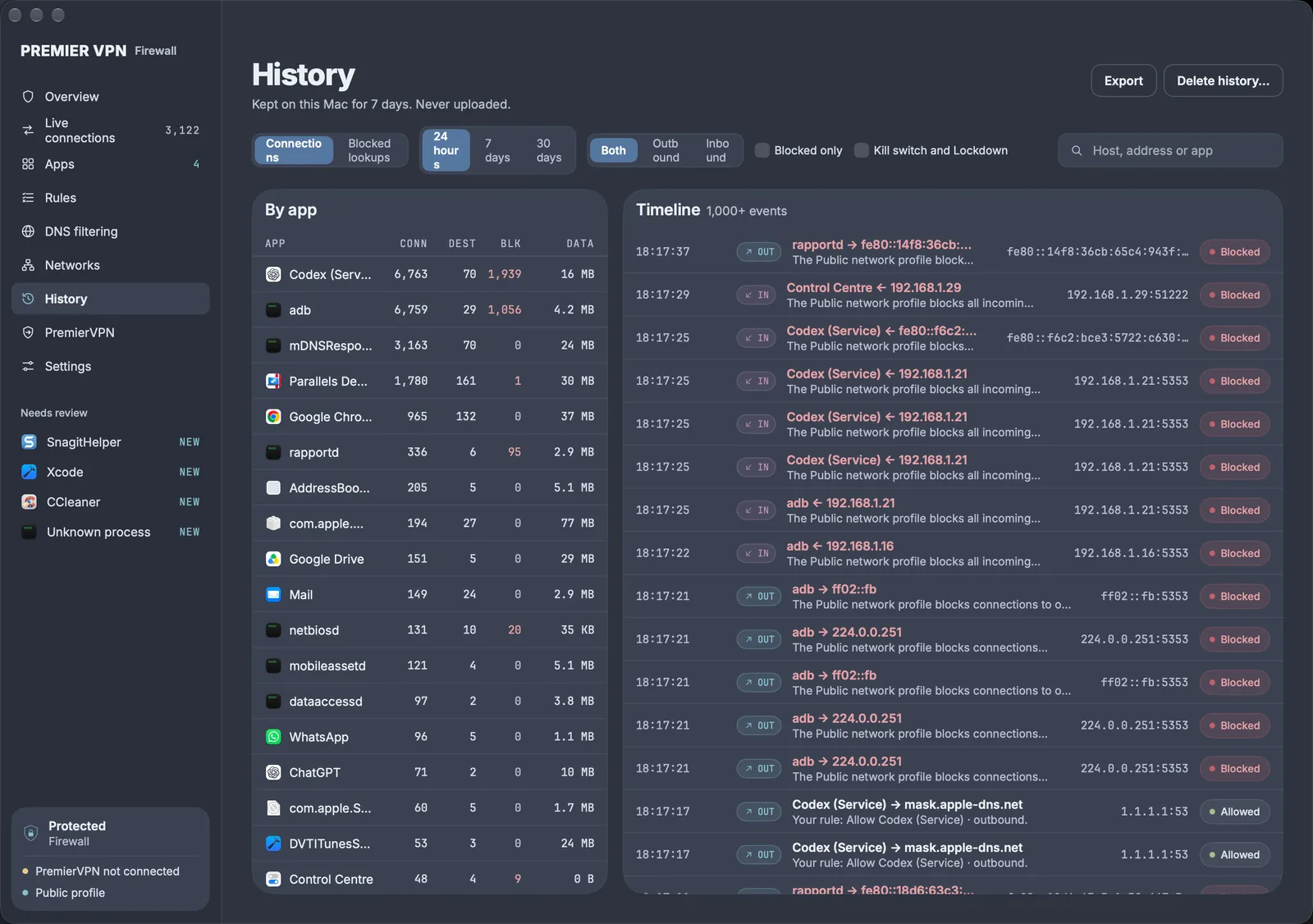
Every connection, live
Outbound and inbound, grouped by app, with where it goes, how much data it moved and whether it was allowed.
Allow, block or ask
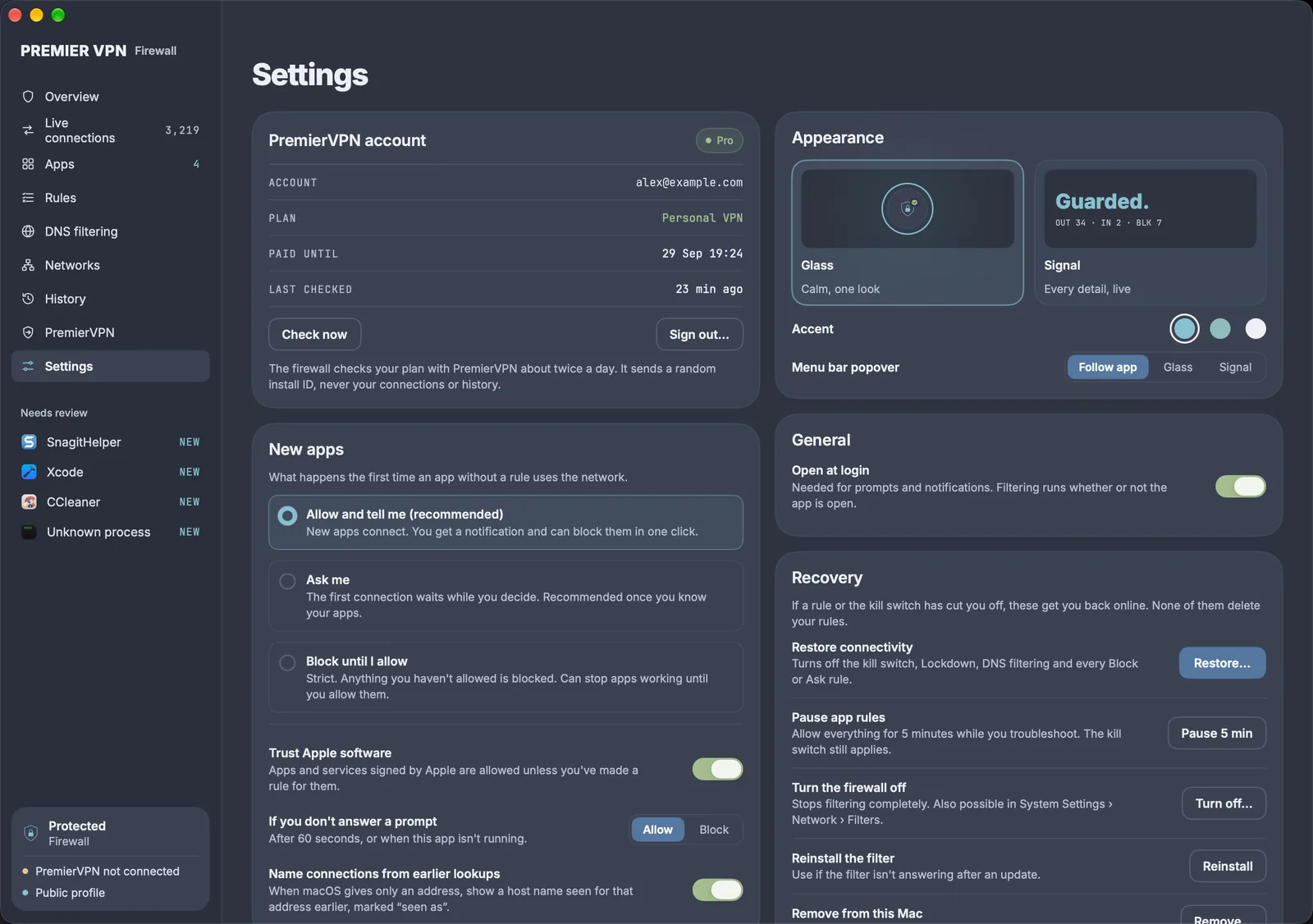
Set each app to allow, block or ask, separately for connections it starts and connections made to it. Change your mind from any connection in one click.
Rules as precise as you like
Match an app, a host, a domain and its subdomains, an address range, a port or a protocol. Make rules temporary, or pause them all for five minutes.
Kill switch
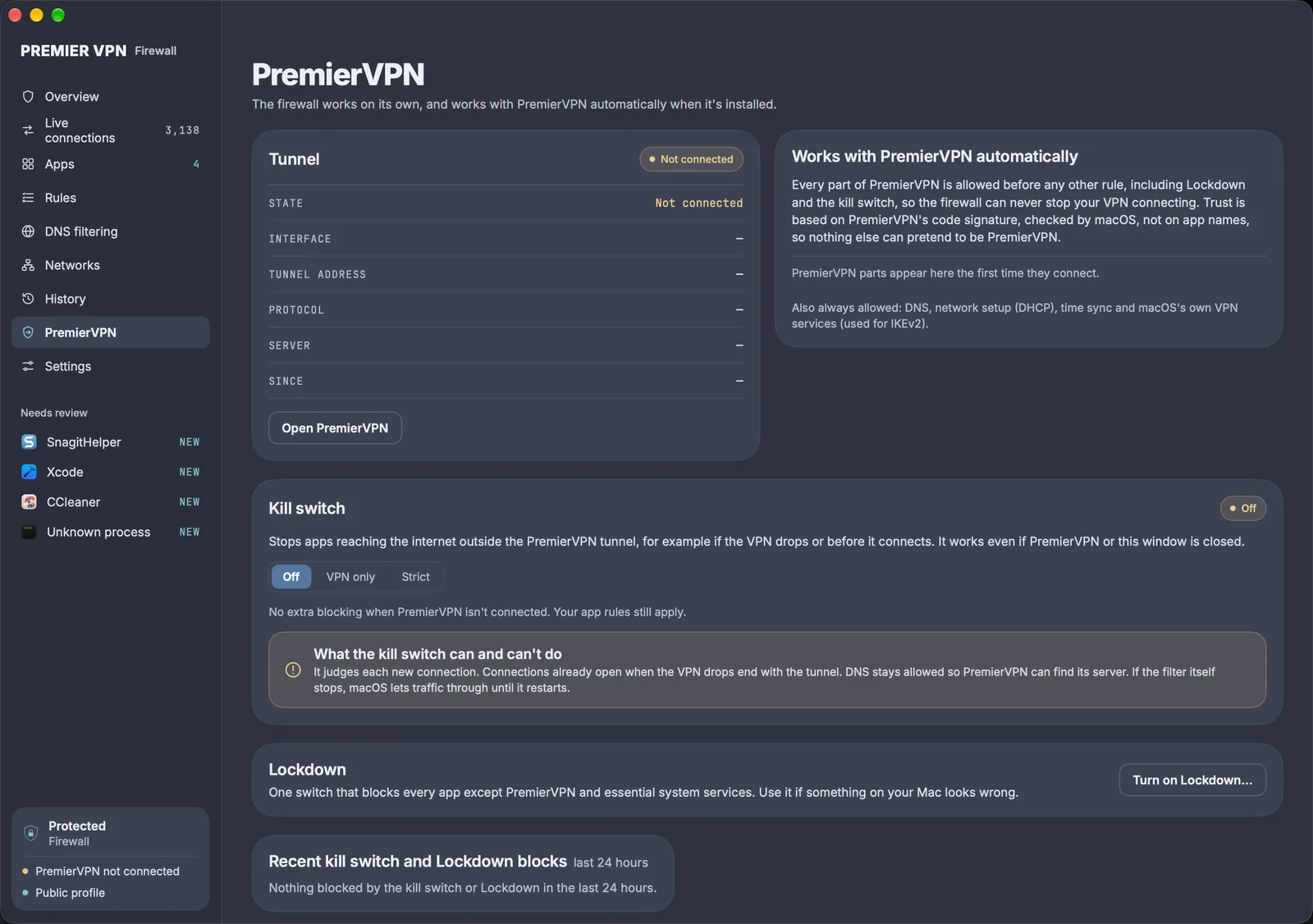
Keeps apps off the internet whenever PremierVPN isn't connected, even with both apps closed. Printers and hotel Wi-Fi sign-in pages can still get through if you allow them.
Lockdown
One switch that blocks every app except PremierVPN and essential system services. For when something on your Mac looks wrong.
Why, every time
Every connection records the sentence that decided it, such as "Your rule: Block curl · outbound", so "why was this blocked?" always has an answer.
Apps are recognised by their code signature, not their name, so rules survive updates and another app can't pretend to be one you trust. If an app's code changes unexpectedly, you're asked again.
Calm when you want it, every detail when you need it
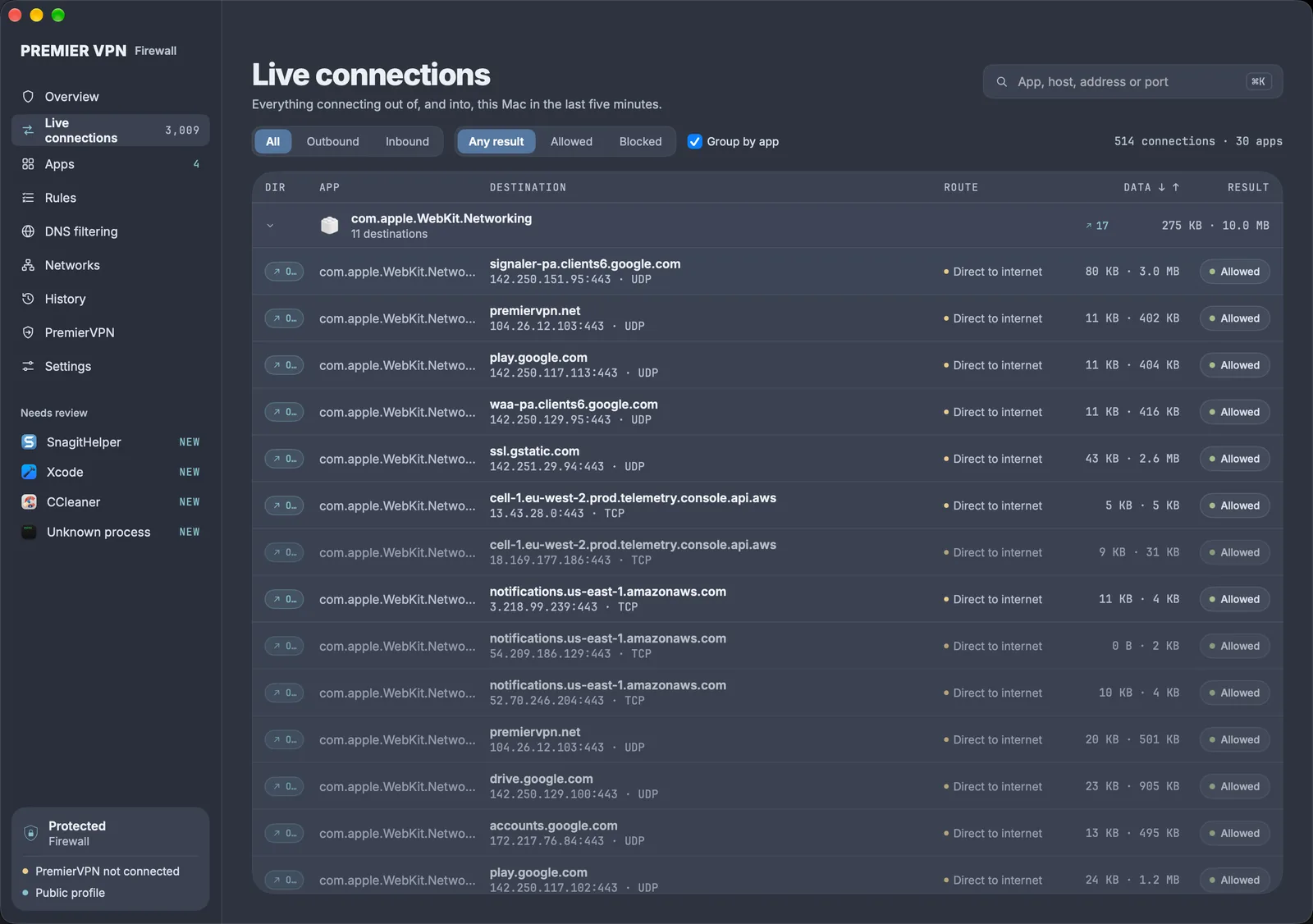
Live connections. Everything going out of, and coming into, your Mac. Select one to see why it was allowed or blocked, and change it.
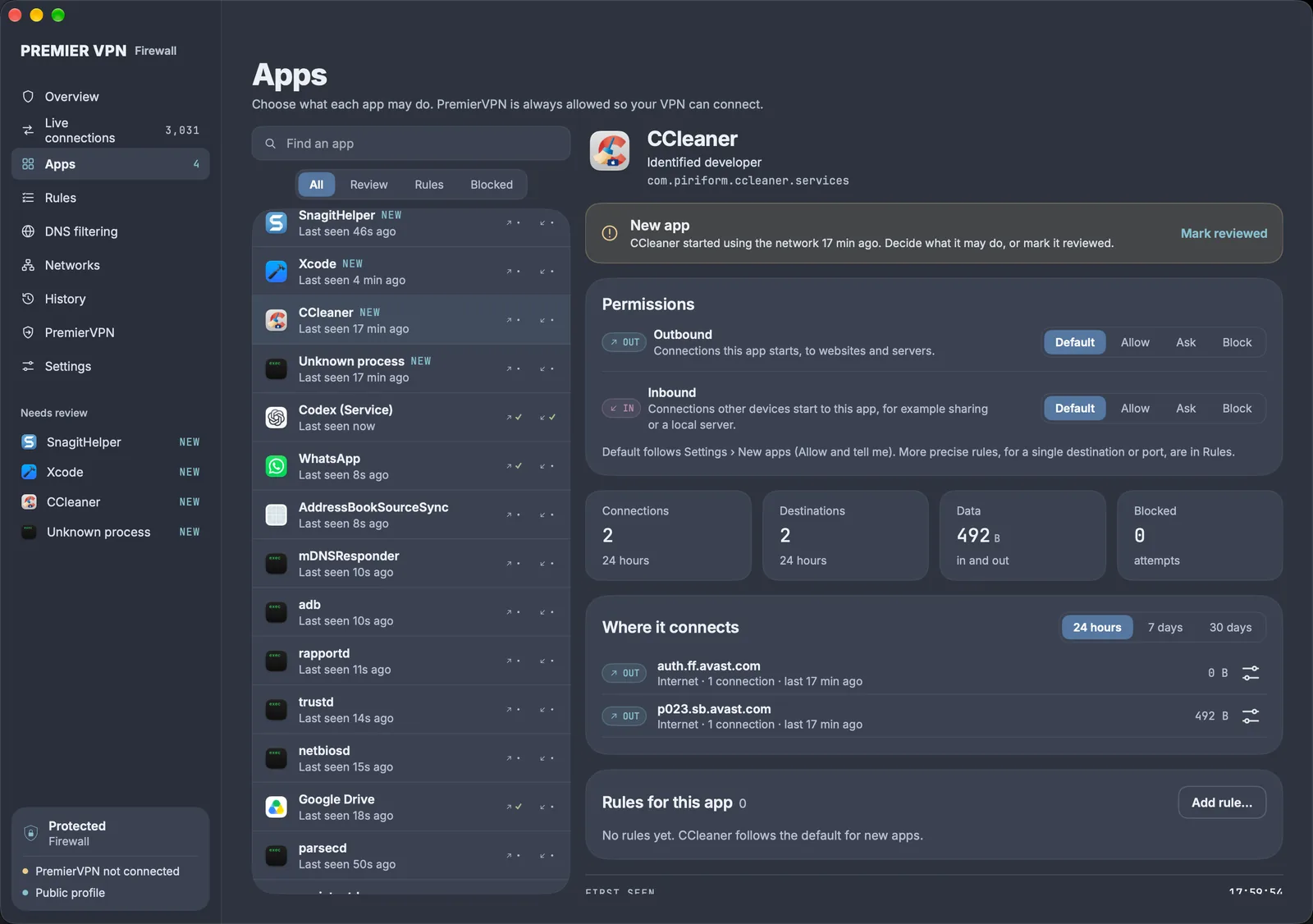
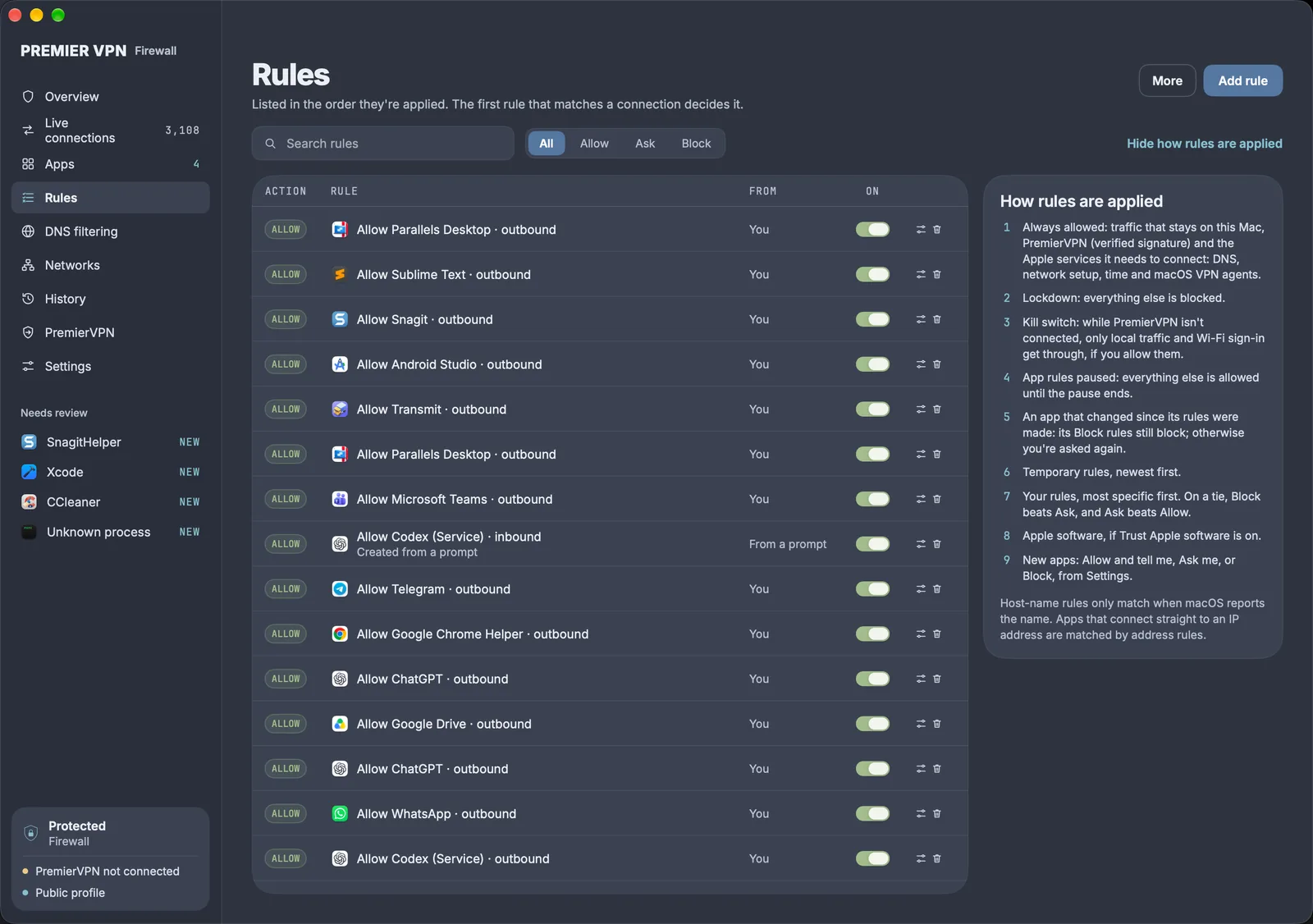
The firewall is free. Pro comes with your plan.
Pro is included with any active PremierVPN plan. There are no licence keys: sign in to the app with your PremierVPN account and Pro turns on.
| Feature | Free | Pro |
|---|---|---|
| See every connection, in and out | ||
| Allow, block or ask per app, rules, Ask prompts | ||
| Kill switch and Lockdown | ||
| Works with PremierVPN automatically | ||
| History | 24 hours | Up to 30 days |
| DNS filtering: ads, trackers, malware, telemetry | ||
| Network profiles: Home, Work, Public | ||
| Rule import and export |
Stop ads, trackers and malware before they load
DNS filtering refuses to look up the names of known ad, tracker and malicious sites, so nothing on your Mac can reach them, browsers included. Your own allow list always wins, so one click fixes a site a list breaks.
| Blocklist | What it blocks | Default |
|---|---|---|
| Ads and trackers | Advertising networks and cross-site trackers | On |
| Malware and phishing | Known malware, phishing and command-and-control domains | On |
| Telemetry | Usage reporting from apps and operating systems | Off |
- Updated daily and signed by PremierVPN. The app checks the signature before using a list, and downloads only from us.
- No workarounds. Apps that try private encrypted DNS fall back to the filtered system DNS. PremierVPN is never affected.
- Your lookups stay yours. Lookups still go to your usual DNS server, which is PremierVPN's when the VPN is connected.
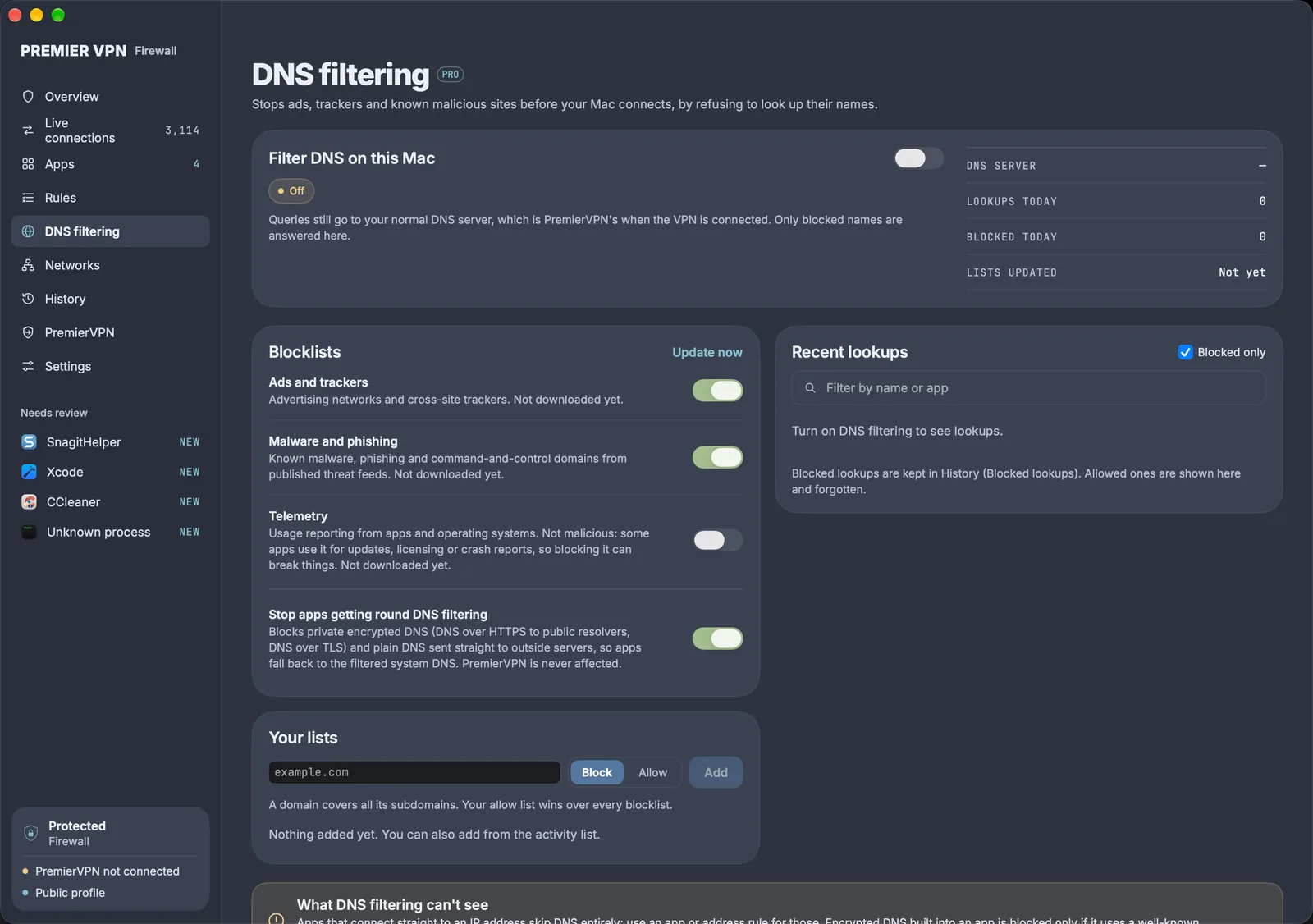
Open at home, locked down on café Wi-Fi
Each network gets its own protection, and the firewall switches as your Mac moves. A network it hasn't seen before is treated as Public until you choose, so an unknown network is never trusted automatically.
| Profile | Incoming | Printers, AirPlay, NAS |
|---|---|---|
| Home | Follow my rules | Allowed |
| Work | Local network only | Allowed |
| Public | Block all | Blocked |
- Per-network settings. Each profile can set its own kill switch, new-app handling and DNS filtering. For example, never use public Wi-Fi without the VPN.
- No location access. Networks are recognised by their router, so nothing is uploaded and no Location permission is needed.
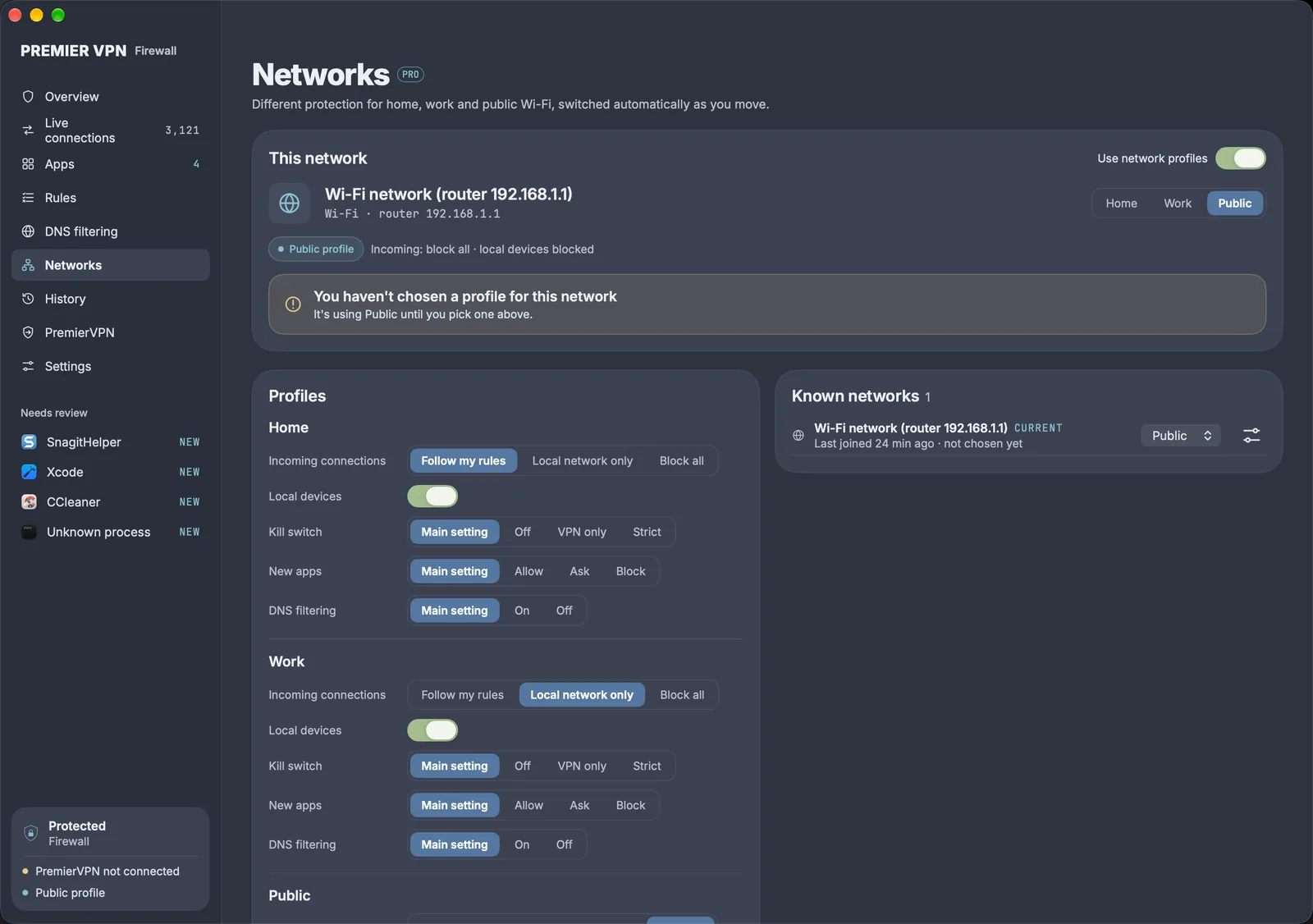
30 days of history Pro
Keep connections and blocked lookups for 24 hours, 7 days or 30 days. Always on your Mac, never uploaded, and deleted in one click.
Rule import and export Pro
Save your rules to a file and import them on another Mac, so a new machine is set up in seconds.
Keeps working offline Pro
The app checks your plan about twice a day. Offline, Pro keeps working until the last check expires.
A firewall that can never stop your VPN
Every part of PremierVPN is allowed before any other check, including Lockdown and the kill switch, on WireGuard, Stealth, IKEv2, VLESS and AmneziaWG. Nothing needs setting up.
PremierVPN only counts as connected when its tunnel is your Mac's main route, so another VPN can't satisfy the kill switch by mistake.
- Off
- The default. Your app rules still apply.
- VPN only
- New internet connections are blocked while PremierVPN isn't connected. Local devices and Wi-Fi sign-in pages can be allowed.
- Strict
- As VPN only, with local devices and sign-in pages blocked too.
How every connection is decided
Each new connection is checked against this list from the top, and the first step that applies decides it. The same list is on the Rules page.
- Always allowed. Traffic that stays on your Mac, PremierVPN, and the Apple services the VPN needs to connect.
- Lockdown, if on: everything else is blocked.
- Kill switch, if PremierVPN isn't connected: internet traffic is blocked.
- Network profile (Pro). Public blocks incoming connections and local devices.
- DNS workarounds (Pro). Private encrypted DNS is blocked while DNS filtering is on.
- App rules paused: everything else is allowed until the pause ends.
- An app that has changed: its Block rules still block; otherwise you're asked again.
- Temporary rules, newest first.
- Your rules, most specific first. On a tie, Block beats Ask, and Ask beats Allow.
- Apple software, if Trust Apple software is on.
- New apps: Allow and tell me, Ask me, or Block until I allow, as you choose.
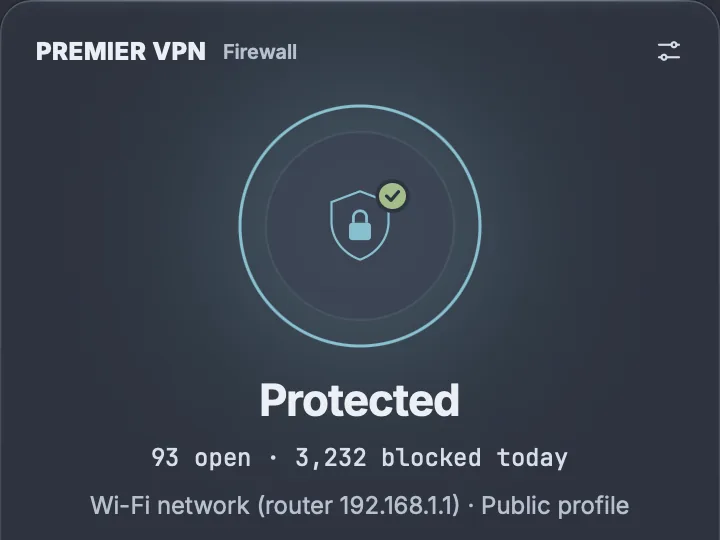
Protected, at a glance
The menu bar panel shows the firewall and PremierVPN status, the kill switch, your network profile and the last few blocks. Turn on Lockdown or pause app rules from there. Filtering carries on with the window closed, and with the app quit.
What leaves your Mac
A firewall sees everything, so it should keep it to itself. The free firewall with no account makes no connections of its own.
| What | When | Sent to |
|---|---|---|
| Your connections, rules and history | Never | No one |
| Sign-in and plan check, with a random install ID | Signing in, then about twice a day | PremierVPN |
| Blocklist downloads (Pro) | Daily, with DNS filtering on | From PremierVPN |
| DNS lookups | As before | Your usual DNS server (PremierVPN's when connected) |
PremierVPN Firewall for Windows
The same firewall is on its way for Windows: free without an account, with Pro included in every PremierVPN plan.
Questions
Is the firewall really free?
Yes. Seeing every connection, allowing and blocking apps, rules, Ask prompts, the kill switch, Lockdown and 24 hours of history are free, with no account and no time limit. The free firewall makes no connections of its own.
What does Pro add, and how do I get it?
Pro adds DNS filtering (ads, trackers, malware and telemetry), network profiles for home, work and public Wi-Fi, 7 or 30 days of history, and rule import and export. It comes with any active PremierVPN plan. There are no licence keys: sign in to the app with your PremierVPN account and Pro turns on.
Will the firewall ever block PremierVPN?
No. Every part of PremierVPN is allowed before any other check, including Lockdown and the kill switch, on every protocol: WireGuard, Stealth, IKEv2, VLESS and AmneziaWG. The firewall recognises PremierVPN by its code signature, which other software can't copy, so nothing needs setting up.
Do I need PremierVPN to use it?
No. The firewall works on its own on any Mac. If PremierVPN is installed it works with it automatically, and the kill switch can keep apps off the internet whenever the VPN isn't connected.
Does it send my connections or browsing anywhere?
No. Connections, rules, history and DNS lookups stay on your Mac. With Pro, the app checks your plan with PremierVPN about twice a day, sending a random install ID, and downloads the blocklists from PremierVPN once a day. That's all.
How is it different from the firewall built into macOS?
The macOS firewall only controls incoming connections. PremierVPN Firewall shows and controls both directions: every connection your apps start, and every connection other devices make to your Mac, with the reason each one was allowed or blocked.
What happens if my PremierVPN plan ends?
Pro features switch off and the free firewall carries on. Your rules, settings and known networks are kept, so everything comes back when you renew.
What if a rule cuts my Mac off?
Settings › Recovery › Restore connectivity gets you back online without deleting anything. It turns off the kill switch, Lockdown and DNS filtering and switches off Block and Ask rules, which you can switch back on later.
Which Macs does it run on?
macOS 14 Sonoma or later, Apple silicon or Intel. It installs a network extension, which macOS asks you to approve once, and it must run from the Applications folder.
Is there a Windows version?
Yes, PremierVPN Firewall for Windows is coming soon. It will work the same way, free without an account and with Pro included in every PremierVPN plan.
See what your Mac has been up to
Installing takes about two minutes. The firewall is free, and Pro is already yours with any PremierVPN plan.