
Block ads, trackers and YouTube ads. Free.
PremierVPN Protect is a free extension for Chrome, Edge, Brave and Firefox. It blocks ads, YouTube ads, trackers, cookie banners and scam sites, with no account needed. PremierVPN customers can also send their browser through our servers in one click.
Free · No account needed · Also works in Edge and Brave
- Ads
- YouTube ads
- Trackers
- Cookie banners
- Scam and malware sites
- WebRTC leaks
What's new in Protect
YouTube ads blocked
Video, home-feed, search and Shorts ads are taken out. Anything that still starts is muted and skipped.
Ad click protection
Clicking an ad shows a warning page first, so a fake ad can't take you straight to a scam site.
Proxy with your PremierVPN login
Customers sign in with their PremierVPN account and switch the browser proxy on. Your proxy login is made and renewed for you.
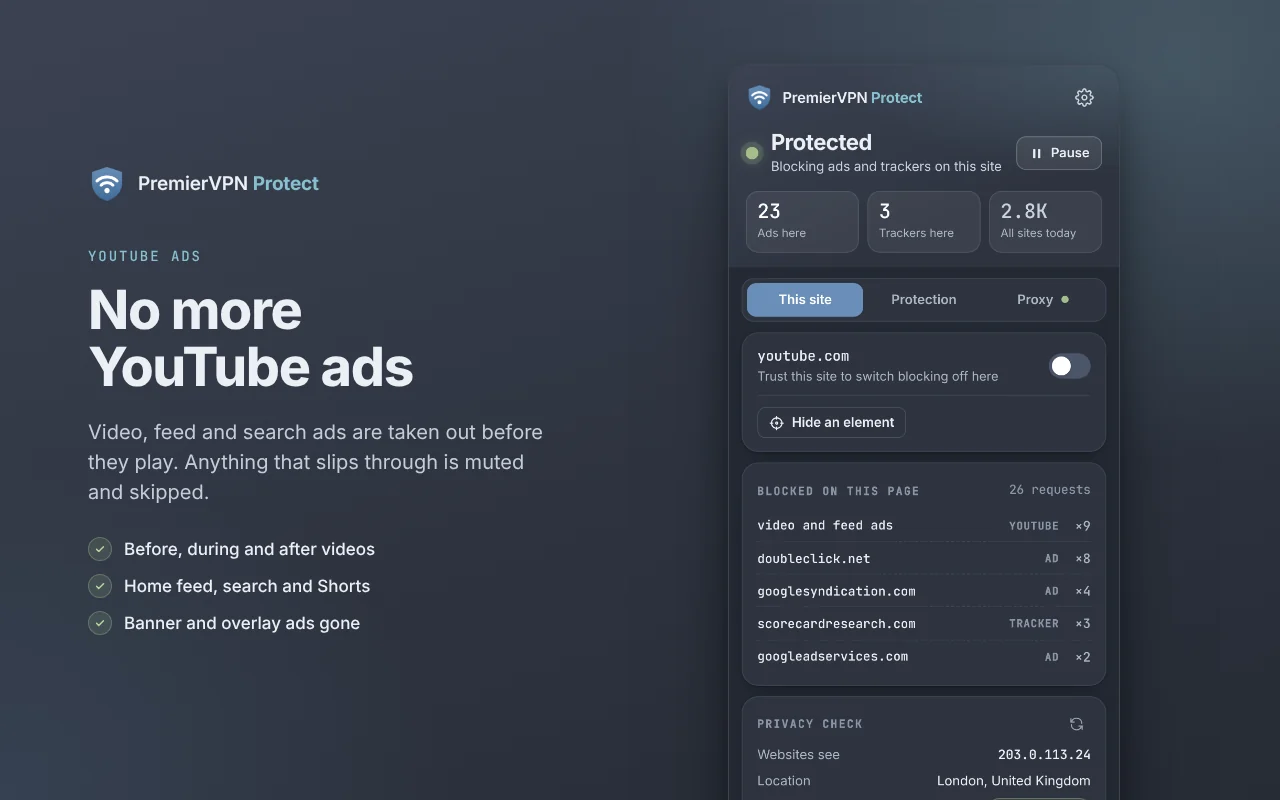
No more YouTube ads
With YouTube ads switched on, Protect takes ads out before they play. If one does start, it's muted and skipped.
- Before, during and after videos
- In the home feed, search results and Shorts
- Banner and overlay ads on videos
- On YouTube, YouTube Music, the mobile site and videos embedded on other websites
Ad clicks can't take you to scams
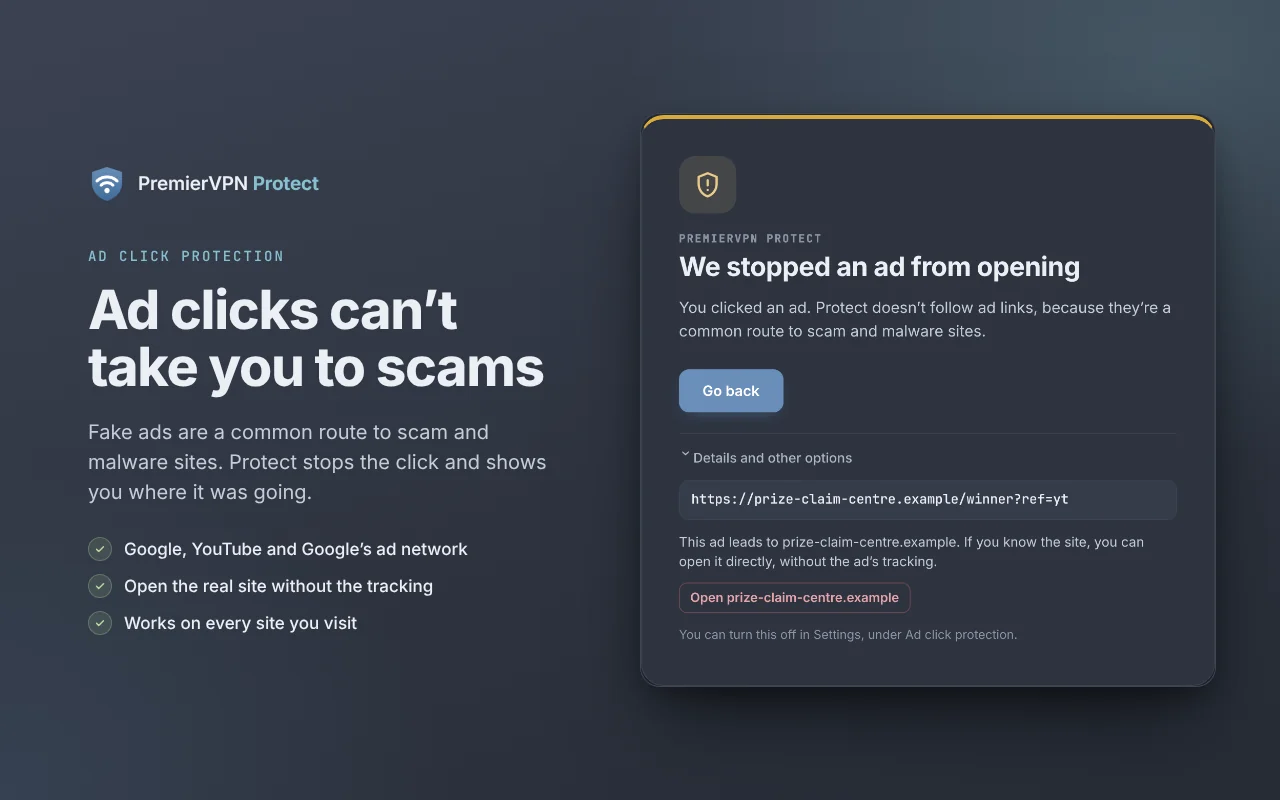
Fake ads are one of the most common ways people end up on scam and malware sites. When you click an ad on Google, YouTube or any site using Google's ad network, Protect shows a warning page instead of following the ad.
- Go back returns you to the page you were on
- See where the ad leads, and open the real site without the ad's tracking
- That site is still checked against our malware list
- Ad clicks on sites you trust always go through
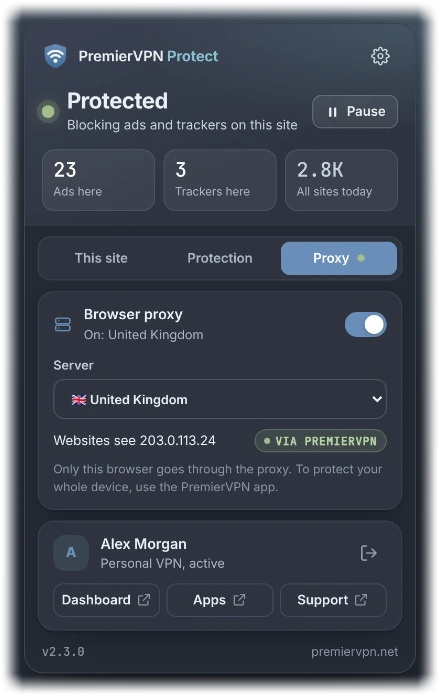
Browse through PremierVPN
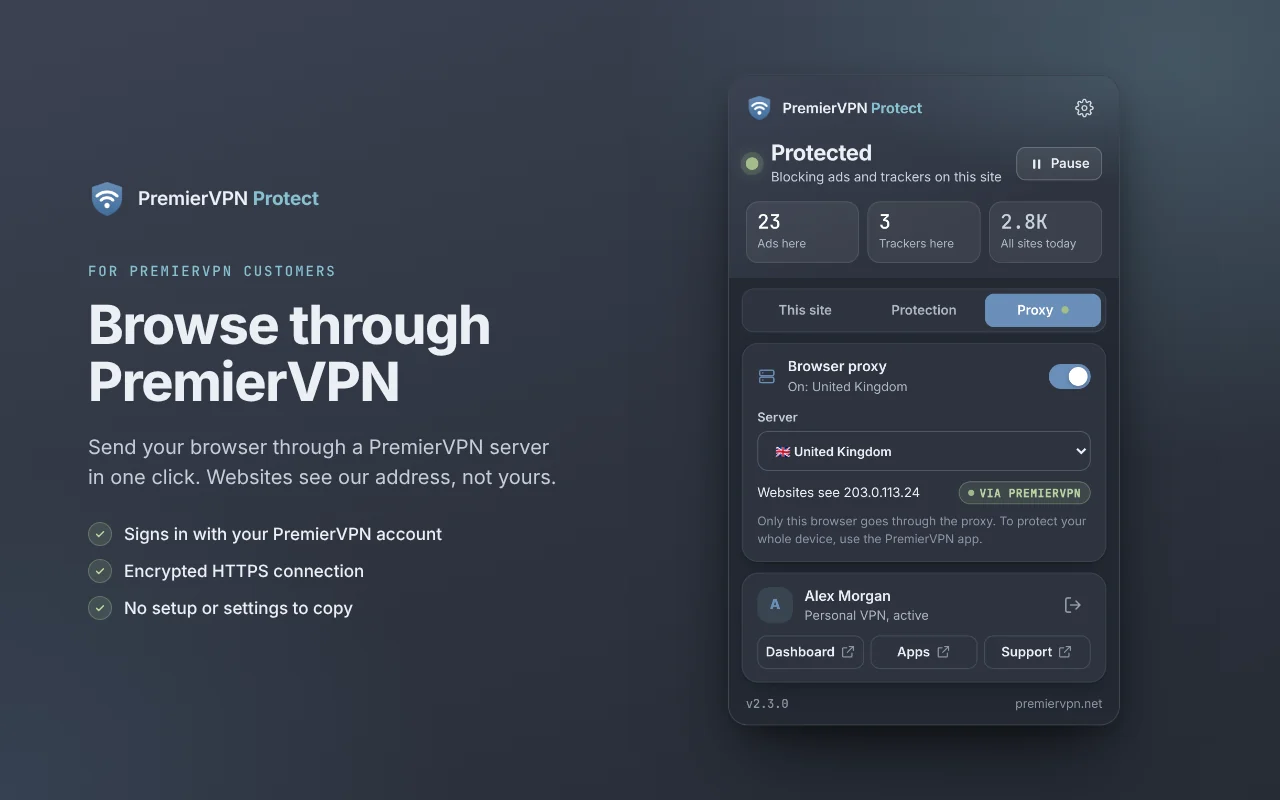
Sign in on the Proxy tab with your PremierVPN account, choose a server, and this browser goes through PremierVPN. Websites see our address, not yours.
- Signs in with your PremierVPN email and password, and your authenticator code if you use two-factor sign-in
- An encrypted HTTPS connection to the proxy
- Your proxy login is set up and renewed for you, so there's nothing to copy or type in
- Use it from up to 3 networks at the same time, such as home, work and your phone
- Our proxy servers keep no logs
Locations🇬🇧 United Kingdom · 🇺🇸 United States
Only this browser goes through the proxy. To protect your whole device, use the PremierVPN app.
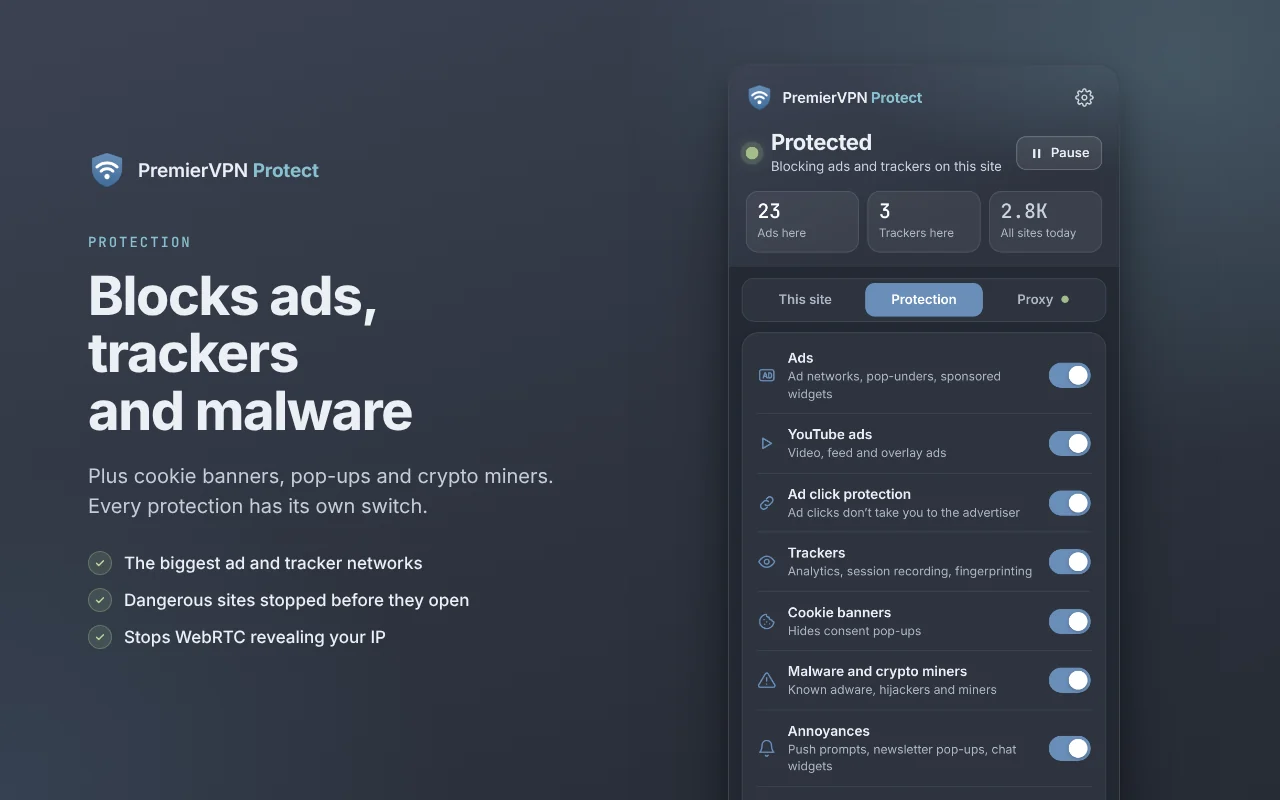
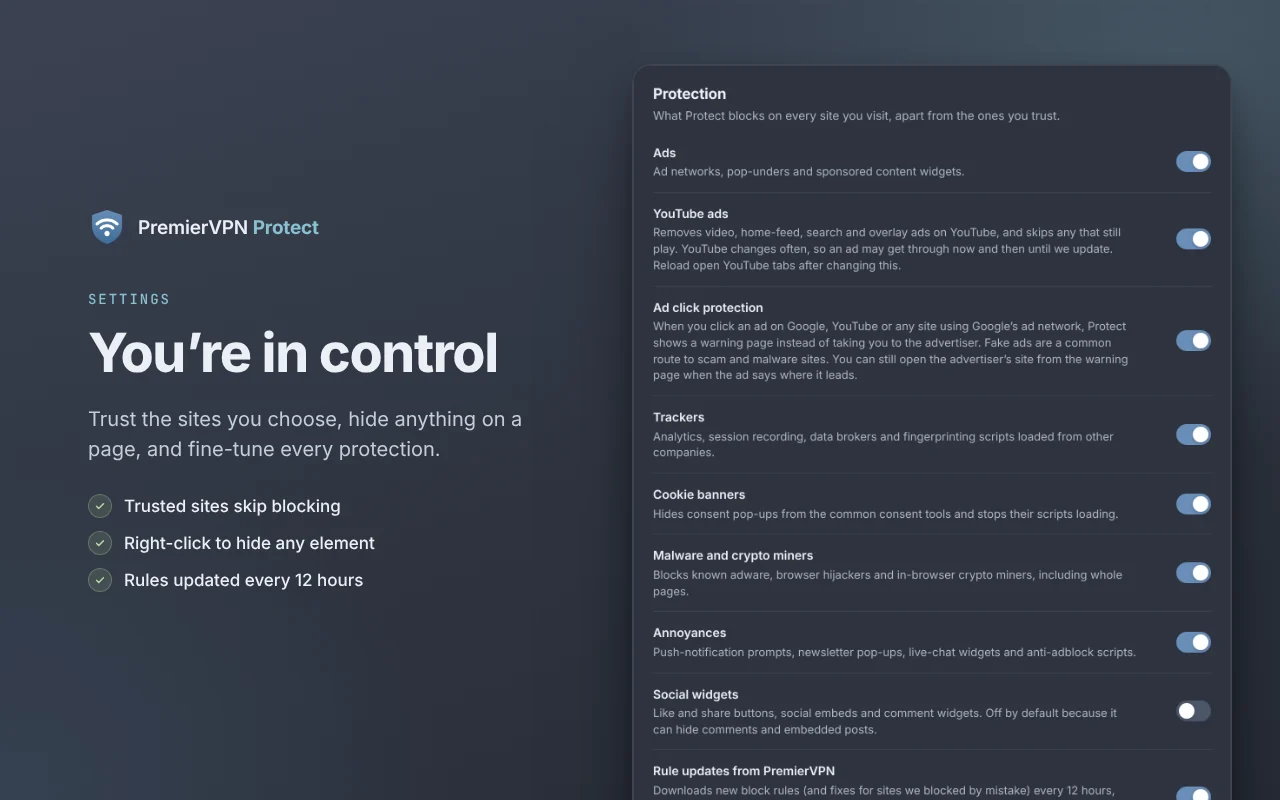
Every protection has its own switch
Everything is on from the start, apart from social widgets. Switch any of it on or off in the popup's Protection tab, or in Settings. Protect also downloads new block rules, and fixes for sites we blocked by mistake, every 12 hours. Nothing about you or your browsing is sent.
| Setting | What it does | Starts |
|---|---|---|
| Ads | Ad networks, pop-unders and sponsored content widgets. | On |
| YouTube ads | Video, home-feed, search and overlay ads on YouTube. Any that still start are muted and skipped. | On |
| Ad click protection | Clicking an ad shows a warning page instead of taking you to the advertiser. | On |
| Trackers | Analytics, session recording and fingerprinting scripts from other companies. | On |
| Cookie banners | Hides cookie consent pop-ups. | On |
| Malware and crypto miners | Blocks known malware, scam and crypto-mining sites, with a warning page. | On |
| Annoyances | Push-notification prompts, newsletter pop-ups and live-chat widgets. | On |
| Social widgets | Like and share buttons, social embeds and comment widgets. | OffIt can hide comments |
| WebRTC leak protection | Stops video-call and chat features revealing your IP address. | On |
You're in control
Trust the sites you choose, hide anything on a page, and fine-tune every protection.
- Trusted sites skip blocking. If a site doesn't work properly, trust it from the popup and reload.
- Right-click anything on a page and choose Hide this element. It stays hidden on that site.
- Pause for 15 minutes, an hour, or until you turn it back on. Or press Alt+Shift+P.
- Export your settings and import them in another browser.
Private by design
Protect works inside your browser. It doesn't need an account, and it doesn't report what you do.
WebRTC leak protection
Stops video-call and chat features revealing your IP address, which matters most when you use a VPN.
Privacy check
The popup shows the address websites see, whether you're connected through PremierVPN, and whether WebRTC is leaking.
Dangerous sites stopped
Known malware, scam and crypto-mining sites open a warning page instead, so you can go back before anything loads.
Rule updates, nothing sent
New block rules arrive every 12 hours as a plain download. Nothing about you or your browsing goes with it.
Stats stay in your browser
Counts are kept in this browser. If you sign in, only the numbers are synced to your dashboard, never the sites you visit.
Fewer hidden connections
Settings to block link-tracking pings, prefetching and preconnect hints, and to collapse the empty spaces ads leave behind.
Get PremierVPN Protect
Free for everyone. No account needed.
Chrome, Edge and Brave
From the Chrome Web Store. Works in Microsoft Edge and Brave too.
Add to ChromeVersion 2.3.0
Install guideFirefox
From Firefox Add-ons, on your computer and on Firefox for Android.
Add to FirefoxVersion 2.3.0, available now
Install guide- Add it from your browser's storeClick Add to Chrome or Add to Firefox, then confirm. Protection starts straight away.
- Pin the shield iconClick the puzzle-piece icon in your toolbar, then pin PremierVPN Protect so it's always one click away.
- Reload open tabsPages you already had open, YouTube especially, are protected once you reload them.
Using another ad blocker? Running two at once can break websites, so we recommend turning the other one off.
Setup guides
Step-by-step help with installing Protect, using the browser proxy and fixing sites that don't work.
- Install in Chrome, Edge or Brave Add the free extension to Chrome, Microsoft Edge or Brave in under a minute.
- Install in Firefox Add the free add-on to Firefox on your computer or Android phone.
- Getting to know the popup What everything in the PremierVPN Protect popup means.
- What Protect blocks The kinds of content Protect blocks, and how to switch each one on or off.
- Blocking YouTube ads How Protect blocks YouTube ads, and what to do if one gets through.
- Ad click protection Why clicking an ad shows a warning page, and how to open the advertiser's site.
- Use the browser proxy For PremierVPN customers: send your browser through a PremierVPN server.
- When Protect blocks a dangerous site What the "This site may harm your device" page means.
- Fix a site that doesn't work properly Trust a site to switch blocking off there.
- Hide anything on a page Remove banners, pop-ups or anything else you don't want to see.
- Pause protection Switch Protect off for a while, or until you turn it back on.
- Check your privacy What the Privacy check tells you, and how to fix any warnings.
- Settings, statistics and backups Find your way around the settings page.
- Troubleshooting Fixes for the most common problems.
- Remove PremierVPN Protect Uninstall the extension from Chrome, Edge, Brave or Firefox.
Questions
Is PremierVPN Protect free?
Which browsers does it work in?
Does Protect see or sell what I browse?
Will it block every YouTube ad?
Why did clicking an ad show a warning page?
A website doesn't work properly. What do I do?
What's the difference between the browser proxy and the PremierVPN app?
Can I use it with another ad blocker?
Browse without the ads
Free for Chrome, Edge, Brave and Firefox.
Want your whole device protected? See PremierVPN plans