7 min read
When you connect to a VPN, there's a lot happening beneath the surface. Your traffic gets encapsulated, encrypted, and routed through a server—and the method used to do all of that is called the protocol. Most apps pick one for you automatically, which is convenient but not always optimal. A protocol tuned for broad compatibility on a hotel Wi-Fi might cost you 30% of your bandwidth when you're gaming at home on a fast fibre connection.
This guide explains the main VPN protocols in plain terms, then maps each one to the situations where it actually performs best. Whether you're trying to reduce lag on a console, stream reliably abroad, or get through a restrictive network in a country with deep-packet inspection, the right choice matters.
PremierVPN supports WireGuard (the default), WireGuard Stealth, OpenVPN, and VLESS+REALITY—all built into the main apps. Each protocol exists for a reason. Here's how to use them intelligently.
What a VPN Protocol Actually Does
A protocol is the agreed set of rules that governs how your device and the VPN server talk to each other. It determines:
- Which encryption ciphers are used and how keys are exchanged
- Whether traffic travels over UDP or TCP, and on which ports
- How quickly a connection is established and re-established after a drop
- How easily the traffic can be identified—or disguised—by network equipment
Those four factors directly affect speed, reliability, and whether you can connect at all on certain networks. No single protocol wins on all four simultaneously, which is why having a choice is genuinely useful rather than just a feature list item.
The Protocols Available in PremierVPN Apps
WireGuard
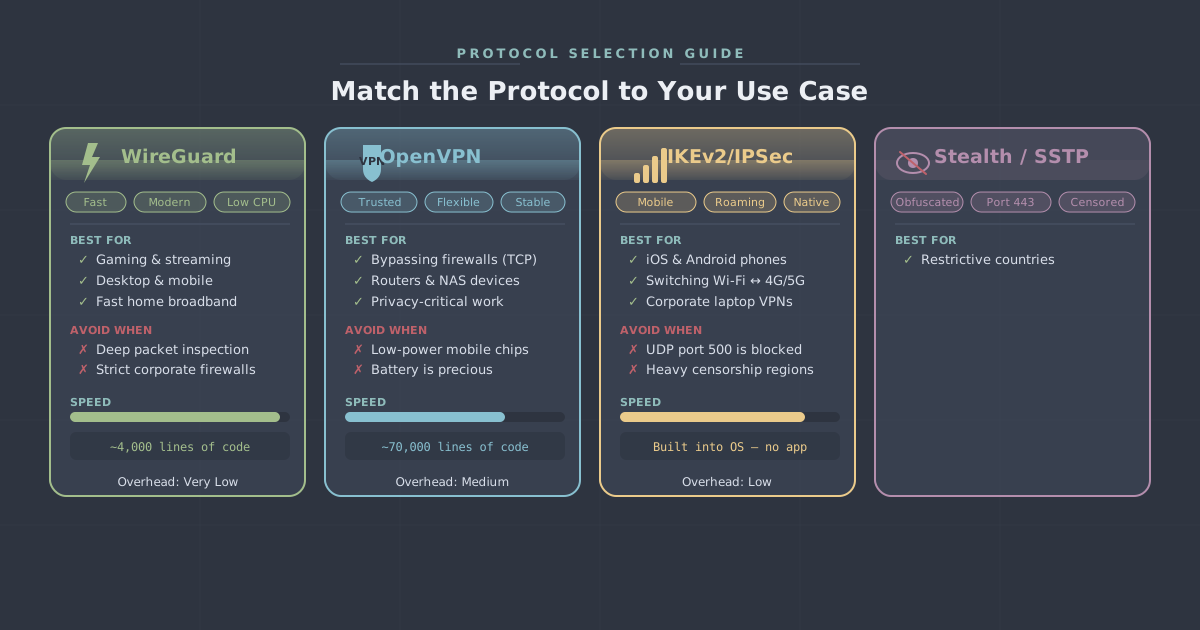
WireGuard is the default in PremierVPN's apps for good reason. It has a lean codebase (roughly 4,000 lines, compared to OpenVPN's hundreds of thousands), uses modern cryptography by design—ChaCha20 for encryption, Poly1305 for authentication, Curve25519 for key exchange—and reconnects almost instantly when your network changes.
For most everyday situations, WireGuard delivers the best balance of speed and security. It runs over UDP, which keeps overhead low. Handshake times are measured in milliseconds rather than seconds, which matters when you're switching between Wi-Fi and mobile data on a commute.
WireGuard Stealth
WireGuard Stealth wraps WireGuard traffic in an additional obfuscation layer, making it harder for network equipment to identify it as a VPN connection. Standard WireGuard has a recognisable packet fingerprint; Stealth blurs that fingerprint without meaningfully changing the underlying performance characteristics.
This is the protocol to reach for when you're on a network that actively blocks VPN traffic—corporate firewalls with strict egress filtering, for instance—but where VLESS+REALITY would be overkill.
OpenVPN
OpenVPN has been the industry-standard protocol for well over a decade. It's mature, audited extensively, and highly configurable. PremierVPN supports both UDP and TCP modes. UDP is faster; TCP is more reliable on lossy or heavily throttled connections because it guarantees packet delivery and can pass through firewalls that block UDP.
OpenVPN's main trade-off versus WireGuard is overhead. Its larger codebase and more complex handshake process mean slightly higher latency and CPU usage, which is most noticeable on older or lower-powered hardware. For most modern devices it's negligible, but on a first-generation Fire TV Stick or an older Android phone, you may notice the difference.
VLESS+REALITY
VLESS+REALITY is the protocol built specifically for use in countries with sophisticated censorship infrastructure—China, Iran, Russia, and similar environments. It works by borrowing the TLS fingerprint of a real, legitimate HTTPS website, making your VPN traffic indistinguishable from ordinary web browsing to deep-packet inspection systems.
It's significantly more evasion-capable than standard obfuscation. The trade-off is that it's not designed for raw performance; the additional disguise layers add some latency. For staying connected in a restrictive environment, that's a worthwhile trade. For gaming at home in the UK, you'd never choose it. You can read more about how it works in our detailed VLESS+REALITY explainer.
Matching Protocol to Use Case
Streaming on a Laptop or Smart TV
WireGuard is the right call here. Streaming is bandwidth-intensive but not particularly latency-sensitive—a 200ms ping is irrelevant when you're watching a film—so the priority is throughput and stability. WireGuard's low overhead keeps transfer speeds close to your base connection speed, and its fast reconnection means a brief network hiccup is less likely to interrupt playback.
If you're travelling and the local network is filtering VPN traffic, try WireGuard Stealth first before switching to OpenVPN TCP. PremierVPN's streaming VPN setup covers the server selection side of this in more detail.
Gaming on PC or Console
Latency is the enemy here. Every millisecond of additional delay is felt during competitive play. WireGuard's UDP-based design and near-instant handshake give it a clear advantage for gaming. Avoid OpenVPN TCP for gaming if you can—TCP's error-correction mechanisms introduce jitter, which is often worse for gaming than occasional packet loss.
On a console (PlayStation, Xbox, Nintendo Switch), you typically can't install a VPN app directly. The practical approaches are running the VPN at router level or using your PC or Mac as a shared hotspot. Either way, WireGuard is the protocol to configure. Our gaming VPN page covers the router setup approach in more detail.
Remote Work and Business Use
For office applications, video calls, and accessing company resources, reliability matters more than peak speed. WireGuard handles the vast majority of remote work scenarios well. If your employer's network or a client's firewall is blocking UDP traffic, OpenVPN TCP on port 443 is a reliable fallback—port 443 is used by HTTPS, so it's almost never blocked.
Teams with specific security or compliance requirements may want to look at PremierVPN's business plans, which include dedicated infrastructure options that give you more control over the configuration.
Mobile Connections (4G, 5G, Switching Networks)
This is where WireGuard's reconnection behaviour is most valuable. When your phone moves between Wi-Fi and mobile data, or between cells in a busy area, the underlying IP address changes. WireGuard re-establishes the tunnel so quickly that most apps don't notice. OpenVPN, by comparison, can take several seconds to reconnect, which is enough to interrupt a call or cause an app to time out.
Battery life is also relevant on mobile. WireGuard's smaller codebase and more efficient cryptography generally draw less CPU time, which translates to marginally better battery performance over a long day of use.
Restrictive Networks: Corporate Firewalls and Travel
On networks with deep-packet inspection or VPN-blocking policies, the priority shifts from performance to connectivity. Try protocols in this order:
- WireGuard Stealth—obfuscates WireGuard traffic without significant performance cost. Often sufficient for corporate firewalls and hotel networks.
- OpenVPN TCP on port 443—blends in with HTTPS traffic at the port level. Less sophisticated than Stealth but widely effective.
- VLESS+REALITY—the strongest evasion option, intended for countries with national-level censorship infrastructure. See our guides on using a VPN in China and using a VPN in Iran if that's your situation.
A Quick Reference Table
| Use Case | Recommended Protocol | Fallback |
|---|---|---|
| Streaming | WireGuard | WireGuard Stealth |
| Gaming | WireGuard | OpenVPN UDP |
| Remote work / video calls | WireGuard | OpenVPN TCP (port 443) |
| Mobile / frequent network switching | WireGuard | WireGuard Stealth |
| Corporate or hotel firewall | WireGuard Stealth | OpenVPN TCP (port 443) |
| Country-level censorship (China, Iran) | VLESS+REALITY | WireGuard Stealth |
| Older or low-powered hardware | WireGuard | OpenVPN UDP |
How to Change the Protocol in PremierVPN
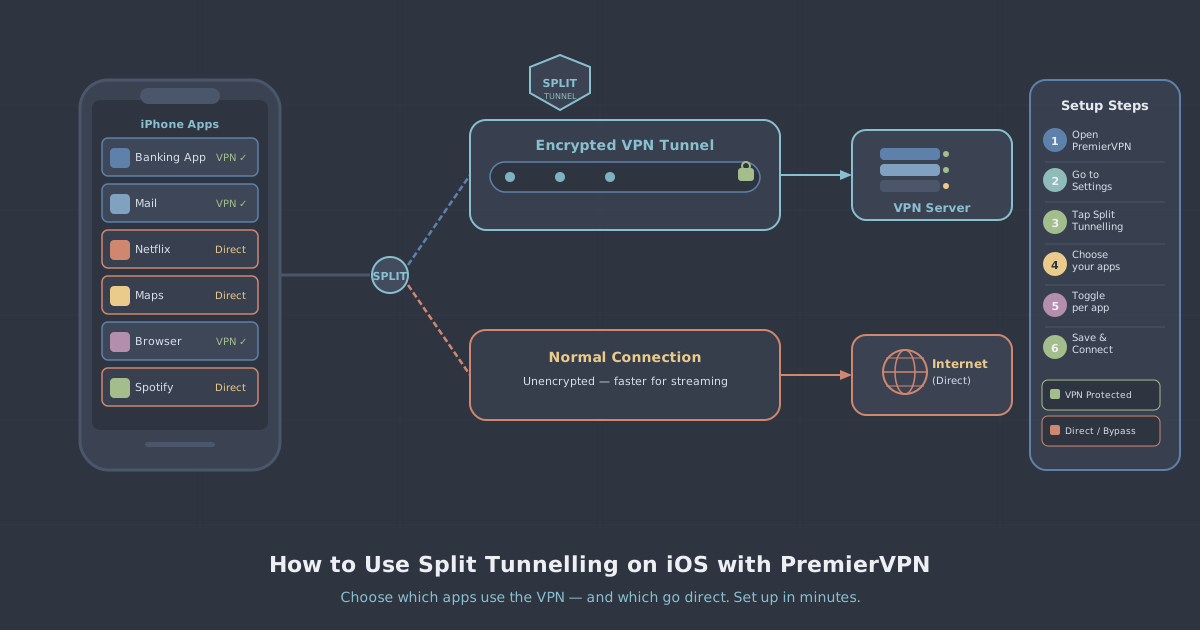
On Windows and macOS, open the PremierVPN app, go to Settings, and select Protocol. You'll see WireGuard, WireGuard Stealth, OpenVPN, and VLESS+REALITY listed. Select the one you want and reconnect—the change takes effect immediately.
On iOS and Android, the setting is in the same place: Settings → Protocol. The mobile apps support all four protocols. If you haven't set up the app yet, the iOS setup guide walks through the full process.
The app defaults to WireGuard, which is the right choice for the majority of situations. The setting is there for when your specific circumstances call for something different—not because you should feel obliged to fiddle with it.
A Note on "Auto" Settings
Some apps offer an automatic protocol selection that switches based on network conditions. PremierVPN's approach is to default to WireGuard and let you make an informed switch when needed, rather than having the app make invisible decisions on your behalf. That means the protocol you've selected is always the one running—no surprises when you're trying to diagnose a connection issue.
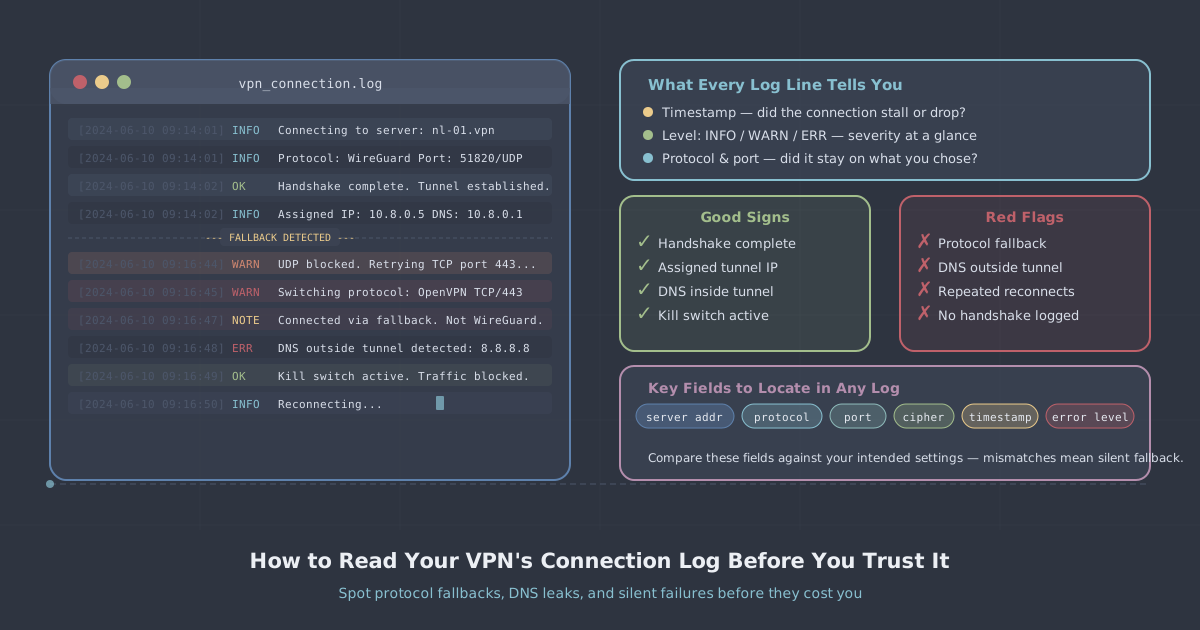
If you're ever unsure whether your connection is behaving as expected, the IP leak test is a quick way to confirm your traffic is routing correctly regardless of which protocol you're using.
Summary
WireGuard is the right default for the vast majority of uses: streaming, gaming, mobile, remote work, and everyday browsing. Its speed, low overhead, and fast reconnection make it the strongest general-purpose choice available.
Reach for WireGuard Stealth when you encounter a network that's filtering VPN traffic. Switch to OpenVPN TCP if Stealth isn't sufficient and you need to blend in on port 443. Use VLESS+REALITY specifically when you're dealing with national-level censorship infrastructure—it's a powerful tool for that situation and a moderate one for everything else.
The protocol menu in the PremierVPN app isn't just a technical curiosity. Knowing what each option does, and when to use it, lets you get the most out of your connection in whatever situation you're actually in.